Second call notification
When you are already on a call, an audible notification is played when a second call is received.
|
Select the tab: Settings, and the following menu: |
|
è Alerts and sounds è Ringing tones |
|
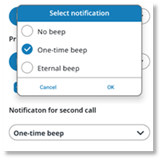
Notification for second call: select one of the following options and validate: · No beep: no audible notification. · One-time beep: a single beep is played when the second call is received. · Eternal beep: a beep is played repeatedly while the second call is waiting. |
|
|

Notification de second appel
Lorsque vous êtes déjà en communication, une notification sonore est émise à la réception d'un second appel.
|
Sélectionner l'onglet : Réglages, et le menu suivant : |
|
è Alertes et sons è Sonneries |
|
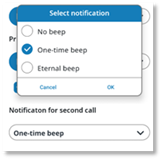
Notification pour le deuxième appel : sélectionnez l'une des options suivantes et validez : · Aucune tonalité : aucune notification sonore. · Tonalité unique : un seul bip est émis à la réception du second appel. · Tonalité continue : un bip est émis de manière répétée pendant l'attente du second appel. |
|
|

Benachrichtigung über einen zweiten Anruf
Wenn Sie bereits telefonieren, wird bei Eingang eines zweiten Anrufs eine akustische Benachrichtigung ausgegeben.
|
Folgende Registerkarte auswählen: Einstellungen, und das folgende Menü: |
|
è Warnungen und Töne è Klingeltöne |
|
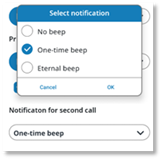
Benachrichtigung für zweiten Anruf: Wählen Sie eine der folgenden Optionen aus und bestätigen Sie: · Kein Signalton: keine akustische Benachrichtigung. · Einmaliger Signalton: Bei Eingang des zweiten Anrufs ertönt ein einzelner Signalton. · Dauerhafter Signalton: Während der zweite Anruf wartet, ertönt wiederholt ein Signalton. |
|
|

Notificación de segunda llamada
Cuando ya está en una llamada, se reproduce una notificación audible al recibir una segunda llamada.
|
Seleccione la pestaña: Configuración, y el siguiente menú: |
|
è Alertas y sonidos è Tonos de llamada |
|
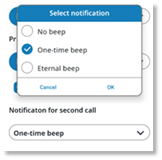
Notificación para la segunda llamada: seleccione una de las opciones siguientes y valide: · Sin tono: sin notificación audible. · Tono único: se reproduce un único pitido al recibir la segunda llamada. · Tono continuo: se reproduce un pitido repetidamente mientras la segunda llamada está en espera. |
|
|

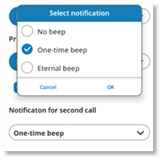
Notifica di seconda chiamata
Quando si è già impegnati in una chiamata, viene emessa una notifica acustica alla ricezione di una seconda chiamata.
|
Selezionare la scheda: Impostazioni, e il seguente menu: |
|
è Avvisi e suoni è Suonerie |
|
Notifica per la seconda chiamata: selezionare una delle opzioni seguenti e convalidare: · Nessun segnale acustico: nessuna notifica acustica. · Segnale acustico singolo: viene emesso un singolo segnale acustico alla ricezione della seconda chiamata. · Segnale acustico continuo: viene emesso ripetutamente un segnale acustico mentre la seconda chiamata è in attesa. |
|
|

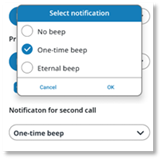
Melding tweede oproep
Wanneer je al in gesprek bent, klinkt er een melding als er een tweede oproep binnenkomt.
|
Selecteer het tabblad: Instellingen, en het volgende menu: |
|
è Waarschuwingen en geluiden è Beltonen |
|
Melding voor tweede oproep: selecteer een van de volgende opties en bevestig: · Geen pieptoon: geen hoorbare melding. · Eenmalige pieptoon: er klinkt één pieptoon wanneer de tweede oproep binnenkomt. · Doorlopende pieptoon: er klinkt herhaaldelijk een pieptoon terwijl de tweede oproep wacht. |
|
|

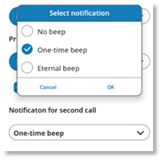
Notificação de segunda chamada
Quando já está numa chamada, é emitida uma notificação sonora ao receber uma segunda chamada.
|
Selecione o separador: Definições, e o seguinte menu: |
|
è Alertas e sons è Sons de toque |
|
Notificação para segunda chamada: selecione uma das seguintes opções e confirme: · Sem sinal sonoro: sem notificação sonora. · Sinal sonoro único: é emitido um único sinal sonoro quando a segunda chamada é recebida. · Sinal sonoro contínuo: é emitido repetidamente um sinal sonoro enquanto a segunda chamada está em espera. |
|
|