Activate Microsoft® integration
You need a Microsoft® 365 or Azure 365 account.
Activating Microsoft® integration enables you to access your Microsoft® 365 contacts (the contacts defined in your Microsoft® 365 account). Thus, ALE SoftPhone will display and search for local and Microsoft® 365 directories. Think about creating your contacts in Microsoft® 365 if you have an account, in order to find them easily in Outlook 365 on mobile, tablet, laptop, desktop or via a web browser.
|
Tap the tab: Settings, and the following menu: |
|
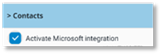
è Contacts è Activate Microsoft integration |
|
|
Activate/deactivate Microsoft® integration. If you activate Microsoft® integration, your Microsoft® Outlook/Azure 365 credentials will be requested. |
|
||

Activer l'intégration Microsoft®
Vous avez besoin d'un compte Microsoft® Outlook 365 ou Azure 365.
L'activation de l'intégration Microsoft® vous permet d'accéder à vos contact Microsoft® 365 (les contacts définis dans votre compte Microsoft® 365). Ainsi, ALE SoftPhone affichera et recherchera les annuaires locaux et Microsoft® 365. Pensez à créer vos contacts dans Microsoft® 365 si vous avez un compte, afin de les retrouver facilement dans Outlook 365 sur mobile, tablette, ordinateur portable, ordinateur de bureau ou via un navigateur web.
|
Taper sur l'onglet : Réglages, et le menu suivant : |
|
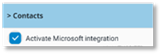
è Contacts è Activer l'intégration Microsoft |
|
|
Activer/désactiver l'intégration Microsoft®. Si vous activez l'intégration Microsoft®, vos informations d'identification Outlook/Azure 365 vous seront demandées. |
|
||

Microsoft® Office-Integration aktivieren
Sie benötigen ein Microsoft® Outlook 365- oder Azure 365-Konto.
Die Aktivierung der Microsoft®-Integration ermöglicht Ihnen den Zugriff auf IhreMicrosoft® 365-Kontakte (die in Ihrem Microsoft® 365-Konto definierten Kontakte). Das ALE SoftPhone zeigt somit lokale und Microsoft® 365-Verzeichnisse an und sucht nach ihnen. Denken Sie darüber nach, Ihre Kontakte in Microsoft® 365 zu erstellen, wenn Sie ein Konto haben, um sie leicht in Outlook 365 auf dem Mobiltelefon, Tablet, Laptop, Desktop oder über einen Webbrowser zu finden.
|
Tippen Sie auf die Registerkarte: Einstellungen, und das folgende Menü: |
|
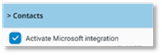
è Kontakte è Microsoft-Integration aktivieren |
|
|
Microsoft®-Integration aktivieren/deaktivieren. Wenn Sie die Microsoft®-Integration aktivieren, werden Ihre Microsoft® Outlook/Azure 365-Anmeldedaten abgefragt. |
|
||

Activar la integración de Microsoft®
Se necesita una cuenta de Microsoft® Outlook 365 o Azure 365.
La habilitación de la integración con Microsoft® le permite acceder a sus contactos de Microsoft® 365 (los contactos definidos en su cuenta de Microsoft® 365). Así, ALE SoftPhone mostrará y buscará directorios locales y de Microsoft® 365. Considere crear sus contactos en Microsoft® 365 si tiene una cuentapara, así, poder encontrarlos fácilmente en Outlook 365 en el móvil, la tableta, el portátil, el ordenador de sobremesa o a través de un navegador web.
|
Pulsar la pestaña: Configuración, y el siguiente menú: |
|
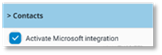
è Contactos è Activar integración Microsoft |
|
|
Activar/desactivar la integración de Microsoft®. Si se activa la integración con Microsoft®, se solicitarán las credenciales de Microsoft® Outlook/Azure 365. |
|
||

Attivare l'integrazione con Microsoft®
È necessario un account Microsoft® Outlook 365 o Azure 365.
L'attivazione dell'integrazione Microsoft® consente all'utente di accedere ai propri contatti Microsoft® 365 (i contatti definiti nel proprio account Microsoft® 365). In questo modo, ALE SoftPhone visualizzerà e cercherà le rubriche locali e quelle di Microsoft® 365. È possibile creare i propri contatti in Microsoft® 365 se si dispone di un account, per trovarli facilmente in Outlook 365 su cellulare, tablet, laptop, desktop o tramite un browser web.
|
Toccare la scheda: Impostazioni, e il seguente menu: |
|
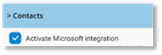
è Contatti è Attiva integrazione Microsoft |
|
|
Attivare/disattivare l'integrazione con Microsoft®. Se si attiva l'integrazione Microsoft®, verranno richieste le credenziali di Microsoft® Outlook/Azure 365. |
|
||

Microsoft® integratie activeren
U hebt een Microsoft® 365 of Azure 365 account nodig.
Door Microsoft® integratie te activeren heeft u toegang tot uw Microsoft® 365 contactpersonen (de contactpersonen die zijn gedefinieerd in uw Microsoft® 365 account). ALE SoftPhone toont en zoekt nu lokale en Microsoft® 365 mappen. U kunt overwegen om uw contactpersonen aan te maken in Microsoft® 365 als u een account hebt, zodat u ze eenvoudig kunt terug vinden in Outlook 365 op mobiel, tablet, laptop, desktop of via een webbrowser.
|
Tik op het tabblad: Instellingen, en het volgende menu: |
|
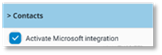
è Contactpersonen è Microsoft-integratie activeren |
|
|
Microsoft® integratie activeren/deactiveren. Als u Microsoft® integratie activeert, worden uw Microsoft® Outlook/Azure 365 referenties gevraagd. |
|
||

Ativar a integração Microsoft®
Necessita de uma conta no Microsoft® Outlook 365 ou no Azure 365.
Ativar a integração Microsoft® permite-lhe aceder aos seus contactos do Microsoft® 365 (os contactos definidos na sua conta Microsoft® 365). Assim, a ALE SoftPhone apresentará e pesquisará os diretórios locais e do Microsoft® 365. Pense em criar os seus contactos no Microsoft® 365 se tiver uma conta, para os encontrar facilmente no Outlook 365 no telemóvel, tablet, computador portátil, desktop ou através de um web browser.
|
Toque no separador: Definições, e o seguinte menu: |
|
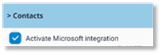
è Contactos è Ativar integração com o Microsoft |
|
|
Ativar/desativar a integração Microsoft®. Se ativar a integração Microsoft®, serão solicitadas as suas credenciais Microsoft® Outlook/Azure 365. |
|
||