
Activate advanced search
|
Select the tab: Settings, and the following menu: |
|
è Contacts è Search engine |
|
Advanced search: Activate this option to use the advanced search feature. The search is performed in a maximum of contact information fields (e.g. first name, last name, job title, address, etc.). Depending on the corporate directory used, the search may not be possible on some fields, but these fields will still be displayed. |
|
|

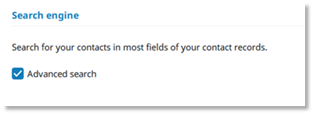
For the OXE Corporate phone book, only the name and first name fields are used for the search, even when Advanced search is enabled. Therefore, enabling Advanced search does not change the search behavior compared with the default Search by name feature.
Activer la recherche avancée
|
Sélectionner l'onglet : Réglages, et le menu suivant : |
|
è Contacts è Moteur de recherche |
|
Recherche avancée : Activer cette option pour utiliser la fonction de recherche avancée. La recherche s'effectue dans un maximum de champs d'informations sur les contacts (par exemple, le prénom, le nom, l'intitulé du poste, l'adresse, etc.). Selon l'annuaire d'entreprise utilisé, la recherche peut ne pas être possible sur certains champs, mais ces champs seront tout de même affichés. |
|
|

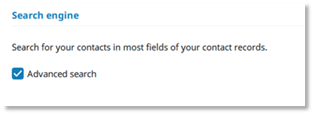
Dans l'annuaire Corporate OXE, seuls les champs du nom et du prénom sont utilisés pour la recherche, même lorsque Advanced search est activé. Par conséquent, l'activation de Advanced search ne modifie pas le comportement de la recherche par rapport à la fonction Search by name par défaut.
Erweiterte Suche aktivieren
|
Folgende Registerkarte auswählen: Einstellungen, und das folgende Menü: |
|
è Kontakte è Suchmaschine |
|
Erweiterte Suche: Aktivieren Sie diese Option, um die erweiterte Suchfunktion zu nutzen. Die Suche wird in einer maximalen Anzahl von Kontaktinformationsfeldern (z. B. Vorname, Nachname, Berufsbezeichnung, Adresse usw.) durchgeführt. Je nach verwendetem Telefonbuchverzeichnis ist die Suche eventuell in einigen Feldern nicht möglich, aber diese Felder werden dennoch angezeigt. |
|
|

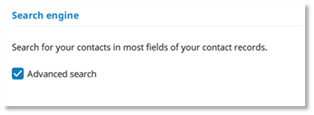
Für das OXE-Unternehmenstelefonbuch werden bei der Suche nur die Felder Nachname und Vorname verwendet, auch wenn Advanced search aktiviert ist. Die Aktivierung von Advanced search ändert daher das Suchverhalten im Vergleich zur standardmäßigen Funktion Search by name nicht.
Activar búsqueda avanzada
|
Seleccione la pestaña: Configuración, y el siguiente menú: |
|
è Contactos è Motor de búsqueda |
|
Búsqueda avanzada: Active esta opción para utilizar la función de búsqueda avanzada. La búsqueda se realiza en un máximo de campos de información de contacto (por ejemplo, nombre, apellidos, cargo, dirección, etc.). Dependiendo del directorio corporativo utilizado, puede que la búsqueda no sea posible en algunos campos, pero estos campos se seguirán mostrando. |
|
|

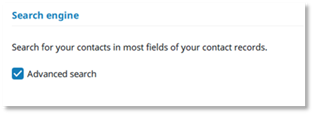
En la agenda corporativa OXE, la búsqueda solo utiliza los campos de apellidos y nombre, incluso cuando la búsqueda avanzada está habilitada. Por lo tanto, habilitar la búsqueda avanzada no cambia el comportamiento de la búsqueda respecto a la función de búsqueda predeterminada por nombre.
Attivare ricerca avanzata
|
Selezionare la scheda: Impostazioni, e il seguente menu: |
|
è Contatti è Motore di ricerca |
|
Ricerca avanzata: Attivare questa opzione per utilizzare la funzione di ricerca avanzata. La ricerca viene eseguita in un massimo di campi di informazioni di contatto (ad es. nome, cognome, qualifica professionale, indirizzo ecc.). A seconda della rubrica aziendale utilizzata, la ricerca potrebbe non essere possibile su alcuni campi, ma questi campi saranno comunque visualizzati. |
|
|

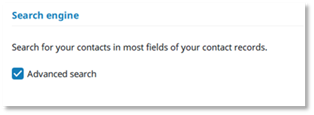
Nella rubrica aziendale OXE, per la ricerca vengono utilizzati solo i campi cognome e nome, anche quando Advanced search è abilitata. Pertanto, abilitare Advanced search non modifica il comportamento della ricerca rispetto alla funzione Search by name predefinita.
Geavanceerd zoeken activeren
|
Selecteer het tabblad: Instellingen, en het volgende menu: |
|
è Contactpersonen è Zoekmachine |
|
Geavanceerd zoeken: Activeer deze optie om de geavanceerde zoekfunctie te gebruiken. Er wordt gezocht in een maximum aantal contactgegevensvelden (bijv. voornaam, achternaam, functie, adres, enz.). Afhankelijk van de gebruikte bedrijfsmap is zoeken bij sommige velden niet mogelijk, maar deze velden worden wel weergegeven. |
|
|

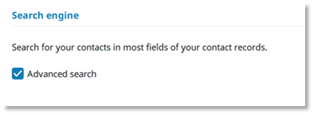
Voor het OXE-bedrijfstelefoonboek worden alleen de velden naam en voornaam gebruikt om te zoeken, ook wanneer Advanced search is ingeschakeld. Advanced search inschakelen verandert het zoekgedrag dus niet ten opzichte van de standaardfunctie Search by name.
Ativar pesquisa avançada
|
Selecione o separador: Definições, e o seguinte menu: |
|
è Contactos è Motor de busca |
|
Pesquisa Avançada: Ative esta opção para utilizar a função de pesquisa avançada. A pesquisa é realizada num máximo de campos de informação de contacto (por exemplo, nome, apelido, cargo, endereço, etc.). Dependendo do diretório empresarial utilizado, a pesquisa pode não ser possível em alguns campos, mas estes campos continuarão a ser exibidos. |
|
|

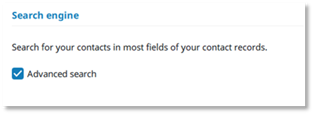
No livro de endereços Corporate OXE, a pesquisa utiliza apenas os campos do nome próprio e do apelido, mesmo quando a Pesquisa avançada está ativada. Por conseguinte, ativar a Pesquisa avançada não altera o comportamento da pesquisa em relação à funcionalidade predefinida Pesquisar por nome.