
Smart Pad
Description
|
|

|
|
|
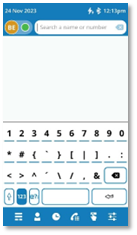
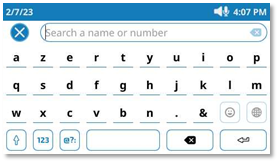
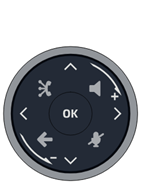
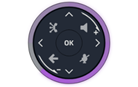
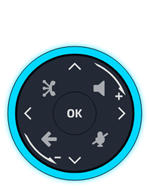
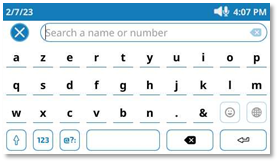
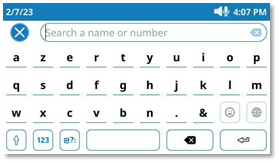
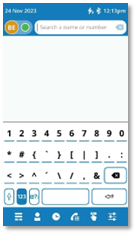
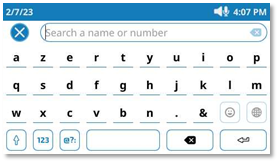
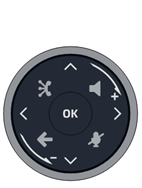
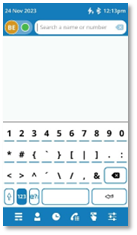
Hands-free/Loudspeaker key Pressing this key answers an incoming call in hands-free mode. When activated, the key slowly flashes blue(1). Pressing this key switches between the supported audio mode: hands-free, headset, handset or group listening (loudspeaker) while a call is in progress. Press this key in idle state to open the search by name feature. |
|
|
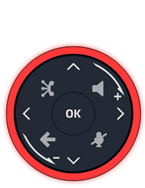
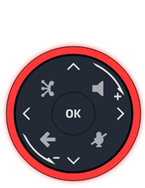
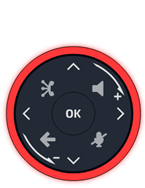
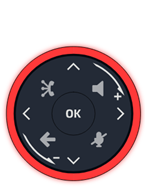
Mute and interphony key Mute key: during a call, press this key to stop your contact from hearing you. When muted, the button slowly flashes blue and the Smart Pad ring lights up in red. If you speak while the microphone is muted when you are using the handset or hands-free mode, the Smart Pad ring will flash red to warn you that the other party cannot hear you. Interphony key: when idle, press this key to switch the phone to interphony mode. When you receive a call, the phone automatically answers into hands-free mode. When activated, the key slowly flashes blue. Interphony can be disabled by the administrator. |
|
|
|
|
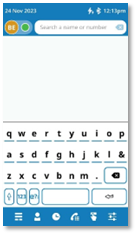
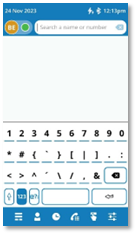
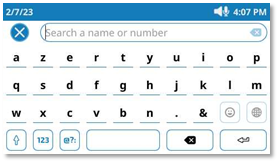
Back/Exit key A short press on this key makes you go back to the previous page. Depending on the context, you may be asked whether or not to save a change in the settings. Depending on the context, a long press on this key allows you to: · Go back to the homepage (Contacts, Call log, Prog keys). · Go back to the local menu (Settings). This key also closes the virtual keyboard. |
|
|
ALE link Connect and manage all Bluetooth® or USB connected devices as ALE Bluetooth® handset, headset, smartphone, PC, … Manage and connect to a wired or wireless network. Your desk phone must be equipped with: ALE-108 Wireless Module. |


|
|
|
Up-down navigator |
|
|
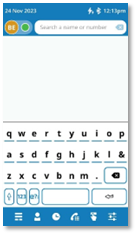
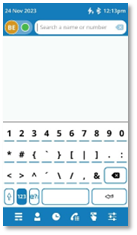
Left-right navigator In the text edition, use this key to navigate into the text box. For the ALE-300, use these keys to navigate between different pages. |
|
|
|
Rotate clockwise Turn up the volume (ringing or call state). Up vertical scrolling. |
|
|
|
Rotate counter clockwise Turn down the volume (ringing or call state). Down vertical scrolling. |
|
|
|
OK key Use this key to validate your choices and options while programming or configuring. Use this key to answer an incoming call with the default audio device (hands-free mode). |
1) In 'legacy' mode, the key lights up continuously in blue.
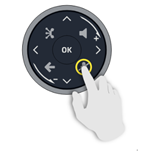
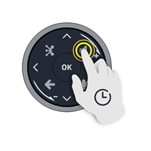
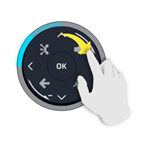
Smart Pad gesture
|
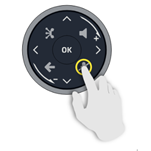
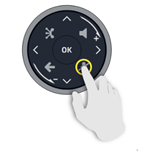
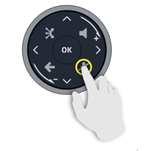
Short press
|
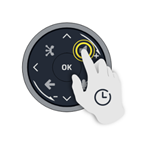
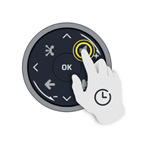
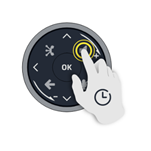
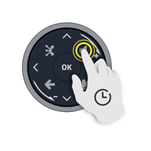
Long press
|
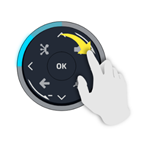
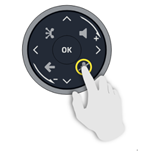
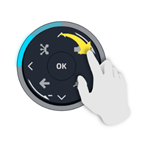
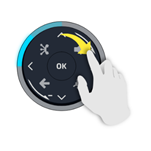
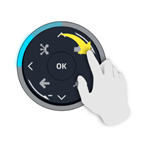
Rotate
|
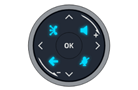


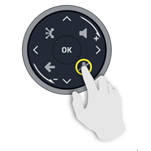
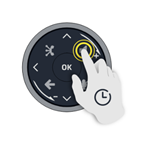
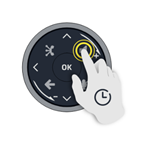
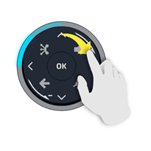
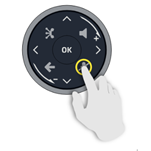
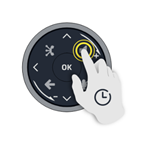
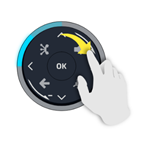
The light ring is not touch sensitive. Please place your finger in the hollow of the Smart Pad for any actions. To perform the rotation action, you need to move your finger at least a quarter turn for your action to be accepted.
ALE Link
|
ALE Link is a built-in connection wizard that has been designed to help you easily connect your Enterprise DeskPhone to a network and communication service. Whether you are using an Ethernet, Wi-Fi, Bluetooth or USB connection, ALE Link gives you a clear, user-friendly interface to guide you through the connection process. |
||||
|
|
Open the connection manager. All
available connections and their statuses are listed. |
|
||
|
|
|
Wired connection. |
||
|
|
|
Wireless connection. |
||
|
|
Connection status: |
|||
|
|
|
Connection interface used to connect to the service. |
||
|
|
|
Service active. |
||
|
|
|
Service inactive. |
||
|
|
Open the device manager. |
|
||
|
|
|
Headset |
||
|
|
|
Handset |
||
|
|
|
Conferencing |
||
|
|
|
Connection type: Bluetooth® |
||
|
|
|
Connection type: USB |
||
|
|
|
Device connected. |
|
|


 : You can set the preferred device directly from the ALE
Link on USB and Bluetooth® connected devices.
: You can set the preferred device directly from the ALE
Link on USB and Bluetooth® connected devices.
LED
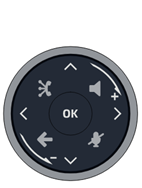
The Smart Pad contains a large number of notifications indicated by the color of the leds.
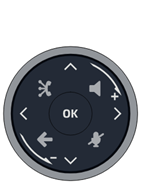
The ring around the Smart Pad and the keys can light up depending on the event. The ring can light up completely or partially depending on the case.
Smart Pad ring
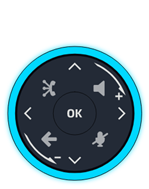
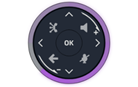
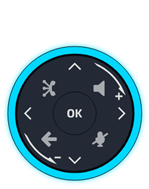
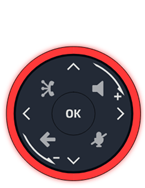
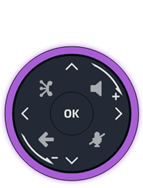
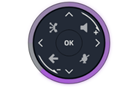
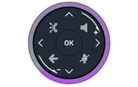
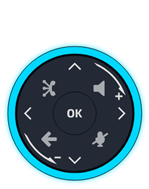
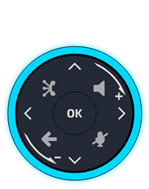
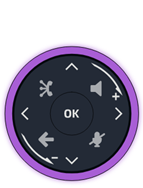
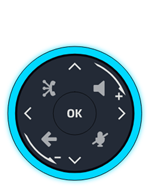
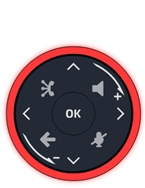
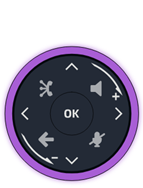
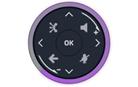
Smart Pad ring is composed of 8 segments which can be lighted up in blue, red or purple:
|
|
|
|
|


Smart Pad keys
|
|
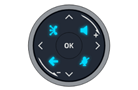
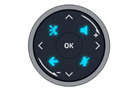
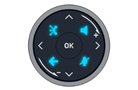
4 keys on the Smart Pad slowly flash blue when activated. These keys light up in blue to show available actions (hands-free, mute, back)2. |

LED management - 'Guided with light' mode (default mode)
Legend:
|
Switched off |
Dimmed blue light |
Strongly lit (blue or purple or red) |
|
|
||||
|
LED |
Smart Pad ring |
Hands-free/Loudspeaker key |
Mute and interphony key |
Back/Exit key |
||||
|
In idle state, screensaver activated |
|
|
|
|
||||
|
In idle state, awake |
|
|
|
|
||||
|
In idle state, awake, Interphony activated |
|
|
|
|
||||
|
Incoming call (ringing) |
|
|
|
|
||||
|
In conversation with handset or headset |
|
|
|
|
||||
|
In conversation in hands-free mode |
|
|
|
|
||||
|
In conversation with handset or headset, call on hold |
|
|
|
|
||||
|
In conversation in hands-free mode, call on hold |
|
|
|
|
||||
|
Muted with handset or headset |
|
|
|
|
||||
|
Speaking into the handset while the microphone is muted(4) |
|
|
|
|
||||
|
Muted in hands-free mode |
|
|
|
|
||||
|
Speaking in hands-free mode while the microphone is muted(4) |
|
|
|
|
||||
|
During settings (Settings) Contacts Call log |
Switched off |
Switched off |
Switched off |
|
||||




1) In 'legacy' mode, the key lights up continuously in blue. 2) In 'legacy' mode, the key flashes blue.
3) In 'legacy' mode, the key is dimly lit in
blue. 4) If you speak while the microphone is muted when you are
using the handset or hands-free mode, the Smart Pad ring will flash red to warn
you that the other party cannot hear you (this option can be disabled - see: Enable/disable the
warning when speaking while the microphone is muted).
Use cases
|
Incoming calls |
|
|
|
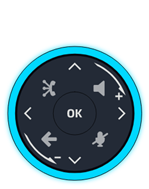
The Smart Pad ring is blinking blue. The hands-free/loudspeaker key is lights up in blue to show hands-free off-hook status(1). |
|
During conversation |
|
|
|
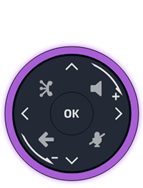
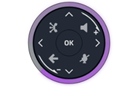
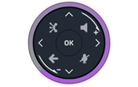
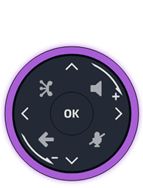
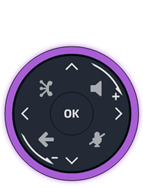
You are in conversation with the handset or the headset. · The Smart Pad ring lights up in purple. · The hands-free/loudspeaker key is lit in blue: hands-free mode is available if desired(2). · The 'mute' key is lit up in blue(2): you can mute the microphone if desired. · Back/Exit key (2): you can display the homepage or a default page (defined in settings) during conversation. |
|
|
Press the hands-free/loudspeaker key to switch in hands-free mode. The key is flashing slowly in blue(1). The 'mute' key is lit up in blue(2). |
|
|
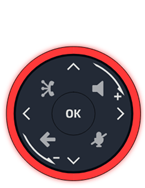
You are in conversation. Press the mute key. The key is slowly flashing blue(1). The Smart Pad ring lights up in red. The microphone is muted. If you speak while the microphone is muted when you are using the handset or hands-free mode, the Smart Pad ring will flash red to warn you that the other party cannot hear you. |


1) In 'legacy' mode, the key lights up continuously in blue. 2) In 'legacy' mode, the key is dimly lit in blue.
Other use cases
|
Idle state |
|
|
Boot During boot phase, the Smart Pad ring rotates clockwise in purple until the boot is finished. |
|
|
Update During software update, the Smart Pad ring rotates clockwise in purple until the update is finished. |
Smart Pad
Description
|
|

|
|
|
Touche mains libres/haut-parleur Appuyer sur cette touche pour répondre à un appel entrant en mode mains libres. Lorsqu'il est activé, la touche clignote lentement en bleu(1). L'appui sur cette touche permet de passer d'un mode audio à l'autre : mains libres, casque, combiné ou écoute collective (haut-parleur) lorsqu'un appel est en cours. Appuyer sur cette touche en mode veille pour ouvrir la fonction Rechercher par le nom. |
|
|
Touche Mute/Intercom Touche Muet : pendant un appel, appuyez sur cette touche pour que votre interlocuteur ne puisse plus vous entendre. En mode Muet, le bouton clignote lentement en bleu et l'anneau du Smart Pad s'allume en rouge. Si vous parlez alors que le microphone est coupé lorsque vous utilisez le combiné ou le mode mains libres, l'anneau du clavier intelligent clignote en rouge pour vous avertir que votre interlocuteur ne peut pas vous entendre. Touche interphonie : lorsqu'il est inactif, appuyer sur cette touche pour définir le téléphone en mode interphonie. Lorsque vous recevez un appel, le téléphone répond automatiquement en mode mains libres. Lorsqu'il est activé, la touche clignote lentement en bleu. L'interphonie peut être désactivée par l'administrateur. |
|
|
|
|
Touche Retour/Quitter Une brève pression sur cette touche permet de revenir à la page précédente. Selon le contexte, il peut vous être demandé d'enregistrer ou non une modification dans les paramètres. Selon le contexte, une pression longue sur cette touche vous permet de : · Revenir à la page d'accueil (Contacts, Journal d'appels, Touches). · Revenir au menu local (Réglages). Cette touche permet également de fermer le clavier virtuel. |
|
|
ALE link Connecter et gérer tous les appareils Bluetooth® ou USB connectés comme un combiné ALE Bluetooth®, un casque, un smartphone, un PC,... Gérer et se connecter à un réseau filaire ou sans fil. Votre téléphone de bureau doit être équipé de : ALE-108 Wireless Module. |


|
|
|
Navigateur Haut-Bas : |
|
|
Navigateur Gauche-Droit Dans l'édition de texte, utiliser cette touche pour naviguer dans la zone de texte. Pour l'ALE-300, utiliser ces touches pour naviguer entre les différentes pages. |
|
|
|
Tourner dans le sens des aiguilles d'une montre Augmenter le volume (état sonnerie ou appel). Défilement vertical vers le haut. |
|
|
|
Tourner dans le sens inverse des aiguilles d'une montre Baisser le volume (état sonnerie ou appel). Défilement vertical vers le bas. |
|
|
|
Touche OK Permet de valider les différents choix et options proposés en cours de programmation ou de configuration. Utiliser cette touche pour répondre à un appel entrant avec le périphérique audio par défaut (mode mains libres). |


1) En mode poste ' classique ', la touche s'allume continuellement en bleu.
Mouvement du Smart Pad
|
Appui court
|
Appui long
|
Faire pivoter
|
L'anneau lumineux n'est pas tactile. Veuillez placer votre doigt dans le creux du Smart Pad pour toute action. Pour effectuer l'action de rotation, vous devez déplacer votre doigt d'au moins un quart de tour pour que votre action soit acceptée.
ALE Link
|
ALE Link est un assistant de connexion intégré conçu pour vous aider à connecter facilement votre téléphone de bureau Enterprise à un réseau et à un service de communication. Que vous utilisiez une connexion Ethernet, Wi-Fi, Bluetooth ou USB, ALE Link vous offre une interface claire et conviviale qui vous guide tout au long du processus de connexion. |
||||
|
|
Ouvrir le gestionnaire de connexion. Toutes les
connexions disponibles et leur état sont répertoriés. |
|
||
|
|
|
Connexion filaire. |
||
|
|
|
Connexion sans fil. |
||
|
|
Etat de la connexion : |
|||
|
|
|
Interface de connexion utilisée pour se connecter au service. |
||
|
|
|
Service actif. |
||
|
|
|
Service inactif. |
||
|
|
Ouvrir le gestionnaire de l'appareil. |
|
||
|
|
|
Casque |
||
|
|
|
Combiné |
||
|
|
|
Conférence |
||
|
|
|
Type de connexion : Bluetooth® |
||
|
|
|
Type de connexion : USB |
||
|
|
|
Périphérique connecté. |
|
|


 :
Vous pouvez définir l'appareil préféré directement à partir du lien d'ALE sur
les appareils connectés USB et Bluetooth®.
:
Vous pouvez définir l'appareil préféré directement à partir du lien d'ALE sur
les appareils connectés USB et Bluetooth®.
Voyant lumineux
Le Smart Pad contient un grand nombre de notifications indiquées par la couleur des LED.
L'anneau autour du Smart Pad et les touches peuvent s'allumer en fonction de l'événement. L'anneau peut s'allumer complètement ou partiellement selon le cas.
Anneau du Smart Pad
L'anneau du Smart Pad est composé de 8 segments pouvant être allumés en bleu, rouge ou violet :
|
|
|
|
|


Touches du Smart Pad
|
|
4 touches du Smart Pad clignotent lentement en bleu lorsqu'elles sont activées. Ces touches s'allument en bleu pour indiquer les actions disponibles (mains libres, mode muet, retour)2. |

Gestion des LED - Mode ' guidage par témoin ' (mode par défaut)
Légende :
|
Éteint |
Lumière bleue atténuée |
Fortement allumé (bleu, violet ou rouge) |
|
|
||||
|
Voyant lumineux |
Anneau du Smart Pad |
Touche mains libres/haut-parleur |
Touche Mute/Intercom |
Touche Retour/Quitter |
||||
|
En état inactif, économiseur d'écran activé |
|
|
|
|
||||
|
À l'état inactif, activé |
|
|
|
|
||||
|
À l'état inactif, activé, Interphonie activée |
|
|
|
|
||||
|
Appel entrant (sonnerie (son émis) |
|
|
|
|
||||
|
En conversation avec le combiné ou le casque |
|
|
|
|
||||
|
En conversation en mode mains libres |
|
|
|
|
||||
|
En conversation avec le combiné ou le casque, appel en attente |
|
|
|
|
||||
|
En conversation en mode mains libres, appel en attente |
|
|
|
|
||||
|
Muet avec le combiné ou le casque |
|
|
|
|
||||
|
Parler dans le combiné alors que le microphone est coupé(4) |
|
|
|
|
||||
|
Muet en mode mains libres |
|
|
|
|
||||
|
Parler en mode mains libres alors que le microphone est coupé(4) |
|
|
|
|
||||
|
Pendant les configurations (Réglages) Contacts Journaux des appels |
Éteint |
Éteint |
Éteint |
|
||||




1) En mode poste ' classique ', la touche
s'allume continuellement en bleu. 2) En mode poste ' classique ', la touche
clignote en bleu.
3) En mode poste ' classique ', la touche est
faiblement allumée en bleu. 4) Si vous parlez alors que le
microphone est coupé lorsque vous utilisez le combiné ou le mode mains libres,
l'anneau du clavier intelligent clignote en rouge pour vous avertir que votre
interlocuteur ne peut pas vous entendre (cette option peut être désactivée - voir
: Activer/désactiver
l'avertissement lorsque vous parlez alors que le microphone est coupé).
Exemples d'utilisation
|
Appels entrants |
|
|
|
L'anneau du Smart Pad clignote en bleu. La touche mains libres/haut-parleur s'allume en bleu pour indiquer le statut de décrochage en mode mains libres(1). |
|
En cours de conversation |
|
|
|
Vous êtes en conversation avec le combiné ou le casque. · L'anneau du Smart Pad s'allume en violet. · La touche mains libres/haut-parleur est allumée en bleu : le mode mains libres est disponible si nécessaire(2). · La touche ' silencieux ' est allumée en bleu(2) : vous pouvez couper le micro si nécessaire. · Touche Retour/Quitter (2) : vous pouvez afficher la page d'accueil ou une page par défaut (définie dans les paramètres) pendant la conversation. |
|
|
Appuyer sur la touche mains libres/haut-parleur pour passer en mode mains libres. La touche clignote lentement en bleu(1). La touche ' silencieux ' est allumée en bleu(2). |
|
|
Vous êtes en conversation. Appuyer sur la touche Muet. La touche clignote lentement en bleu(1). L'anneau du clavier intelligent s'allume en rouge. Le microphone est coupé. Si vous parlez alors que le microphone est coupé lorsque vous utilisez le combiné ou le mode mains libres, l'anneau du clavier intelligent clignote en rouge pour vous avertir que votre interlocuteur ne peut pas vous entendre. |


1) En mode poste ' classique ', la touche s'allume continuellement en bleu. 2) En mode poste ' classique ', la touche est faiblement allumée en bleu.
Autres cas d'utilisation
|
État inactif |
|
|
Démarrer Pendant la phase de démarrage, l'anneau du Smart Pad tourne dans le sens des aiguilles d'une montre en violet jusqu'à ce que le démarrage soit terminé. |
|
|
Mettre à jour Pendant la mise à jour du logiciel, l'anneau du Smart Pad tourne dans le sens des aiguilles d'une montre en violet jusqu'à ce que la mise à jour soit terminée. |
Smart Pad
Beschreibung
|
|

|
|
|
Freisprechmodus-/Lautsprecher-Taste Durch Drücken dieser Taste wird ein eingehender Anruf im Freisprechmodus entgegengenommen. Bei Aktivierung blinkt die Taste langsam blau(1). Durch Drücken dieser Taste wird zwischen den unterstützten Audiomodi umgeschaltet: Freisprechen, Headset, Handapparat oder Mithörfunktion (Lautsprecher), während ein Gespräch geführt wird. Drücken Sie diese Taste im Ruhezustand, um die Suchfunktion nach Namen zu öffnen. |
|
|
Stummschaltung und Interphony (direktes Ansprechen) Stummschaltungstaste: Drücken Sie während eines Anrufs diese Taste, damit Ihr Kontakt Sie nicht hören kann. Wenn die Taste stummgeschaltet ist, blinkt sie langsam blau und der Smart Pad-Ring leuchtet rot. Wenn Sie den Handapparat oder die Freisprecheinrichtung benutzen und sprechen, während das Mikrofon stummgeschaltet ist, blinkt der Smart Pad-Ring rot, um Sie zu warnen, dass Ihr Gesprächspartner Sie nicht hören kann. Taste für direktes Ansprechen: Drücken Sie diese Taste im Ruhezustand, um das Telefon in den Interphony-Modus (Direktes Ansprechen) zu schalten. Wenn Sie einen Anruf erhalten, geht das Telefon automatisch in den Freisprechmodus über. Bei Aktivierung blinkt die Taste langsam blau. Direktes Ansprechen kann vom Administrator deaktiviert werden. |
|
|
|
|
Taste 'Zurück/Beenden' Ein kurzer Druck auf diese Taste bringt Sie zurück zur vorherigen Seite. Je nach Kontext können Sie gefragt werden, ob Sie eine Änderung der Einstellungen speichern möchten oder nicht. Je nach Kontext können Sie mit einem langen Druck auf diese Taste Folgendes erreichen: · Zurück zur Startseite (Kontakte, Anrufliste, Prog-Tasten). · Zum lokalen Menü zurückkehren (Einstellungen). Diese Taste schließt auch die virtuelle Tastatur. |
|
|
ALE link Verbinden und verwalten Sie alle über Bluetooth® oder USB verbundenen Geräte wie ALE Bluetooth®-Handapparat, Headset, Smartphone, PC usw. Verwalten und an ein kabelgebundenes oder drahtloses Netzwerk anschließen. Ihr Tischtelefon muss ausgestattet sein mit: ALE-108 Wireless Module. |


|
|
|
Navigation oben-unten |
|
|
Navigation links-rechts Verwenden Sie diese Taste bei der Textbearbeitung, um in das Textfeld zu wechseln. Verwenden Sie beim ALE-300 diese Tasten, um zwischen verschiedenen Seiten zu navigieren. |
|
|
|
Im Uhrzeigersinn drehen Lautstärke erhöhen (Rufton oder Anrufstatus). Vertikaler Bildlauf nach oben. |
|
|
|
Gegen den Uhrzeigersinn drehen Lautstärke verringern (Rufton oder Anrufstatus). Vertikaler Bildlauf nach unten. |
|
|
|
OK-Taste Ermöglicht die Bestätigung der verschiedenen Auswahlmöglichkeiten während der Programmierung oder der Konfiguration. Verwenden Sie diese Taste, um einen eingehenden Anruf mit dem Standard-Audiogerät zu beantworten (Freisprechmodus). |


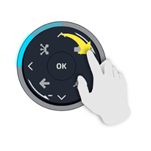
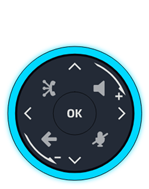
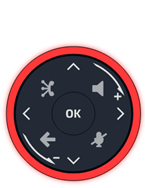
1) Im 'Legacy'-Modus leuchtet die Taste kontinuierlich blau.
Smart-Pad-Geste
|
Kurz drücken
|
Langer Tastendruck
|
Drehen
|
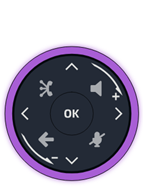
Der Lichtring ist nicht berührungsempfindlich. Legen Sie für alle Aktionen Ihren Finger in die Vertiefung des Smart Pad. Um die Drehbewegung auszuführen, müssen Sie Ihren Finger mindestens eine Vierteldrehung bewegen, damit Ihre Aktion akzeptiert wird.
ALE Link
|
ALE Link ist ein integrierter Verbindungsassistent, der Ihnen hilft, Ihr Enterprise DeskPhone einfach mit einem Netzwerk und einem Kommunikationsdienst zu verbinden. Ganz gleich, ob Sie eine Ethernet-, Wi-Fi-, Bluetooth- oder USB-Verbindung verwenden, ALE Link bietet Ihnen eine übersichtliche, benutzerfreundliche Oberfläche, die Sie durch den Verbindungsprozess führt. |
||||
|
|
Den Verbindungsmanager öffnen. Alle
verfügbaren Verbindungen und ihr Status werden aufgelistet. |
|
||
|
|
|
Schnurgebundene Verbindung. |
||
|
|
|
Drahtlose Verbindung. |
||
|
|
Verbindungsstatus: |
|||
|
|
|
Verbindungsschnittstelle, die für die Verbindung mit dem Dienst verwendet wird. |
||
|
|
|
Dienst aktiv. |
||
|
|
|
Dienst inaktiv. |
||
|
|
Gerätemanager öffnen. |
|
||
|
|
|
Kopfhörer |
||
|
|
|
Handapparat |
||
|
|
|
Konferenz |
||
|
|
|
Verbindungstyp: Bluetooth® |
||
|
|
|
Verbindungstyp: USB |
||
|
|
|
Gerät verbunden. |
|
|


 : Sie können das bevorzugte Gerät direkt über den ALE Link
auf Geräte einstellen, die über USB und Bluetooth® angeschlossen
sind.
: Sie können das bevorzugte Gerät direkt über den ALE Link
auf Geräte einstellen, die über USB und Bluetooth® angeschlossen
sind.
Status-LED
Das Smart Pad enthält eine große Anzahl von Benachrichtigungen, die durch die Farbe der LEDs angezeigt werden.
Der Ring um das Smart Pad und die Tasten können je nach Ereignis aufleuchten. Der Ring kann je nach Gehäuse ganz oder teilweise aufleuchten.
Smart-Pad-Ring
Der Smart-Pad-Ring besteht aus 8 Segmenten, die blau, rot oder violett leuchten können:
|
|
|
|
|


Smart-Pad-Tasten
|
|
4 Tasten auf dem Smart Pad blinken langsam blau, wenn sie aktiviert sind. Diese Tasten leuchten blau, um die verfügbaren Aktionen anzuzeigen (Freisprechen, Stummschaltung, Zurück)2. |

LED-Verwaltung - Modus 'Guided mit Beleuchtung' (Standardmodus)
Legende:
|
Ausgeschaltet |
Gedimmtes blaues Licht |
Starkes Leuchten (blau oder violett oder rot) |
|
|
||||
|
Status-LED |
Smart-Pad-Ring |
Freisprechmodus-/Lautsprecher-Taste |
Stummschaltung und Interphony (direktes Ansprechen) |
Taste 'Zurück/Beenden' |
||||
|
Im Ruhezustand, Bildschirmschoner aktiviert |
|
|
|
|
||||
|
Im Ruhezustand, wach |
|
|
|
|
||||
|
Im Ruhezustand, wach, Interphony aktiviert |
|
|
|
|
||||
|
Ankommender Anruf (Rufton) |
|
|
|
|
||||
|
Im Gespräch mit Handapparat oder Headset |
|
|
|
|
||||
|
Im Gespräch im Freisprechmodus |
|
|
|
|
||||
|
Im Gespräch mit Handapparat oder Headset, Anruf auf Halten |
|
|
|
|
||||
|
Im Gespräch im Freisprechmodus, Anruf auf Halten |
|
|
|
|
||||
|
Stummgeschaltet mit Handapparat oder Headset |
|
|
|
|
||||
|
In den Handapparat sprechen, während das Mikrofon stummgeschaltet ist(4) |
|
|
|
|
||||
|
Stummgeschaltet im Freisprechmodus |
|
|
|
|
||||
|
Im Freisprechmodus sprechen, während das Mikrofon stummgeschaltet ist(4) |
|
|
|
|
||||
|
Während Einstellungen (Einstellungen) Kontakte Anrufprotokolle |
Ausgeschaltet |
Ausgeschaltet |
Ausgeschaltet |
|
||||





1)
Im 'Legacy'-Modus leuchtet die Taste kontinuierlich blau. 2) Im 'Legacy'-Modus blinkt die Taste blau.
3) Im 'Legacy'-Modus ist die Taste schwach
beleuchtet. 4) Wenn Sie den Handapparat oder die
Freisprecheinrichtung benutzen und sprechen, während das Mikrofon
stummgeschaltet ist, blinkt der Smart Pad-Ring rot, um Sie zu warnen, dass Ihr
Gesprächspartner Sie nicht hören kann (diese Option kann deaktiviert werden - Siehe:
Warnung beim
Sprechen mit stummgeschaltetem Mikrofon aktivieren/deaktivieren).
Anwendungsfälle
|
Eingehende Anrufe |
|
|
|
Der Smart-Pad-Ring blinkt blau. Die Freisprech-/Lautsprechertaste leuchtet blau, um den Freisprechstatus anzuzeigen(1). |
|
Während des Gesprächs |
|
|
|
Sie sind mit Handapparat oder Headset im Gespräch. · Der Smart Pad-Ring leuchtet violett. · Die Freisprech-/Lautsprechertaste leuchtet blau: der Freisprechmodus ist auf Wunsch verfügbar(2). · Die Taste 'Stummschaltung' leuchtet blau(2): Sie können das Mikrofon auf Wunsch stummschalten. · Taste 'Zurück/Beenden' (2): Sie können die Startseite oder eine Standardseite (in den Einstellungen definiert) während der Konversation anzeigen. |
|
|
Drücken Sie die Freisprech-/Lautsprechertaste, um in den Freisprechmodus zu wechseln. Die Taste blinkt langsam blau(1). Die Taste 'Stummschaltung' leuchtet blau(2). |
|
|
Sie befinden sich im Gespräch. Drücken Sie die Stummschalttaste. Die Taste blinkt langsam blau(1). Der Smart Pad-Ring leuchtet rot. Das Mikrofon wird stummgeschaltet. Wenn Sie den Handapparat oder die Freisprecheinrichtung benutzen und sprechen, während das Mikrofon stummgeschaltet ist, blinkt der Smart Pad-Ring rot, um Sie zu warnen, dass Ihr Gesprächspartner Sie nicht hören kann. |


1) Im 'Legacy'-Modus leuchtet die Taste kontinuierlich blau. 2) Im 'Legacy'-Modus ist die Taste schwach beleuchtet.
Andere Anwendungsfälle
|
Ruhezustand |
|
|
Start Während der Boot-Phase dreht sich der Smart-Pad-Ring im Uhrzeigersinn in Violett, bis das Booten abgeschlossen ist. |
|
|
Update Während der Software-Aktualisierung dreht sich der Smart-Pad-Ring im Uhrzeigersinn in Violett, bis die Aktualisierung abgeschlossen ist. |

Smart Pad
Descripción
|
|

|
|
|
Tecla de manos libres/altavoz Al pulsar en esta tecla responderá a una llamada entrante en el modo manos libres. Cuando se activa, la tecla parpadea lentamente en azul(1). Esta tecla permite cambiar entre los modos de audio compatibles: manos libres, auricular, teléfono o escucha en grupo (altavoz) durante una llamada. Pulse esta tecla en estado de reposo para abrir la función de búsqueda por nombre. |
|
|
Tecla Silencio/Interfono Tecla de silencio: durante una llamada, pulsar esta tecla para que su contacto no pueda escucharle a usted. Si está silenciado, el botón parpadea lentamente en azul y el anillo del Smart Pad se ilumina en rojo. Si habla con el micrófono silenciado cuando utiliza el auricular o el modo manos libres, el timbre del Smart Pad parpadeará en rojo para avisarle de que el otro interlocutor no puede oírlo. Tecla de interfonía: en estado de inactividad, pulse esta tecla para pasar el teléfono al modo interfonía. Cuando recibe una llamada, el teléfono responde automáticamentre en el modo manos libres. Cuando se activa, la tecla parpadea lentamente en azul. La interfonía la puede deshabilitar el administrador. |
|
|
|
|
Tecla Atrás/Salir Pulsando brevemente esta tecla se vuelve a la página anterior. Dependiendo del contexto, puede que se le pregunte si desea o no guardar un cambio en la configuración. Según el contexto, si pulsa prolongadamente esta tecla podrá: · Volver a la página de inicio (Contactos, Registro de llamadas, Teclas programables). · Volver al menú local (Configuración). Esta tecla también cierra el teclado virtual. |
|
|
ALE link Conectar y gestionar todos los dispositivos Bluetooth® o USB conectados como teléfono Bluetooth® de ALE, auricular, smartphone, PC, etc. Gestionar una red alámbrica o inalámbrica o conectarse ella. Su teléfono de oficina debe disponer de: ALE-108 Wireless Module. |


|
|
|
Tecla de navegación arriba-abajo |
|
|
Tecla de navegación izquierda-derecha En la edición de texto, utilizar esta tecla para navegar por el cuadro de texto. Para el ALE-300, utilice estas teclas para navegar entre las diferentes páginas. |
|
|
|
Girar en el sentido de las agujas del reloj Subir el volumen (estado llamada o sonando). Desplazamiento vertical hacia arriba. |
|
|
|
Girar en el sentido contrario al de las agujas del reloj Bajar el volumen (estado llamada o sonando). Desplazamiento vertical hacia abajo. |
|
|
|
Tecla de validación Permite validar las diversas preferencias u opciones que se muestran durante la programación o la configuración. Utilice esta tecla para atender una llamada entrante con el dispositivo de audio predeterminado (modo manos libres). |

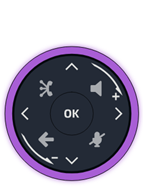
1) En modo 'heredado', la tecla se ilumina continuamente en azul.
Movimiento del Smart Pad
|
Pulsación breve
|
Pulsación larga
|
Girar
|
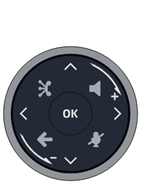
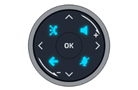

El anillo luminoso no es sensible al tacto. Coloque el dedo en el hueco del Smart Pad para realizar cualquier acción. Para realizar la acción de rotación, debe mover el dedo al menos un cuarto de giro para que se acepte la acción.
ALE Link
|
ALE Link es un asistente de conexión integrado que ha sido diseñado para ayudarlo a conectar fácilmente su Enterprise DeskPhone a una red y a un servicio de comunicación. Tanto si utiliza una conexión Ethernet, Wi-Fi, Bluetooth o USB, ALE Link le ofrece una interfaz clara y fácil de usar que lo guiará por el proceso de conexión. |
||||
|
|
Abrir el gestor de conexión. Aparece una lista con
todas las conexiones disponibles y sus estados. |
|
||
|
|
|
Conexión alámbrica. |
||
|
|
|
Conexión inalámbrica. |
||
|
|
Estado de la conexión: |
|||
|
|
|
Interfaz de conexión utilizada para conectarse al servicio. |
||
|
|
|
Servicio activo. |
||
|
|
|
Servicio inactivo. |
||
|
|
Abra el gestor de dispositivos. |
|
||
|
|
|
Auricular |
||
|
|
|
Auricular |
||
|
|
|
Conferencia |
||
|
|
|
Tipo de conexión: Bluetooth® |
||
|
|
|
Tipo de conexión: USB |
||
|
|
|
Dispositivo conectado. |
|
|


 : Puede establecer el dispositivo preferido directamente
desde ALE Link en dispositivos USB y Bluetooth® conectados.
: Puede establecer el dispositivo preferido directamente
desde ALE Link en dispositivos USB y Bluetooth® conectados.
Piloto luminoso
El Smart Pad contiene un gran número de notificaciones indicadas por el color de los LED.
El anillo que rodea el Smart Pad y las teclas pueden iluminarse en función del evento. El anillo puede iluminarse total o parcialmente según el caso.
Anillo del Smart Pad
El anillo del Smart Pad está compuesto por 8 segmentos que pueden iluminarse en azul, rojo o púrpura:
|
|
|
|
|


Teclas del Smart Pad
|
|
4 teclas del Smart Pad parpadean lentamente en azul cuando se activa. Estas teclas se iluminan en azul para mostrar las acciones disponibles (manos libres, silencio, atrás)2. |

Gestión de LED - modo 'Guiado con luz' (modo predeterminado)
Leyenda:
|
Apagado |
Luz azul atenuada |
Muy iluminado (azul, morado o rojo) |
|
|
||||
|
Piloto luminoso |
Anillo del Smart Pad |
Tecla de manos libres/altavoz |
Tecla Silencio/Interfono |
Tecla Atrás/Salir |
||||
|
En estado de inactividad, salvapantallas activado |
|
|
|
|
||||
|
En estado de inactividad, despierto |
|
|
|
|
||||
|
En estado de inactividad, despierto, Interfonía activada |
|
|
|
|
||||
|
Llamada entrante (timbre) |
|
|
|
|
||||
|
En conversación con teléfono o auricular |
|
|
|
|
||||
|
En conversación en modo manos libres |
|
|
|
|
||||
|
En conversación con teléfono o auricular, llamada en espera |
|
|
|
|
||||
|
En conversación en modo manos libres, llamara en espera |
|
|
|
|
||||
|
En silencio con teléfono o auricular |
|
|
|
|
||||
|
Hablar por el auricular con el micrófono silenciado(4) |
|
|
|
|
||||
|
En silencio en modo manos libres |
|
|
|
|
||||
|
Hablar en modo manos libres con el micrófono silenciado(4) |
|
|
|
|
||||
|
Durante la configuración (Configuración) Contactos Registros de llamadas |
Apagado |
Apagado |
Apagado |
|
||||


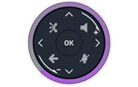


1) En modo 'heredado', la tecla se ilumina continuamente
en azul. 2) En modo 'heredado', la tecla parpadea en azul.
3) En modo 'heredado', la tecla se ilumina en azul tenue.
4) Si habla con el micrófono silenciado cuando utiliza el auricular
o el modo manos libres, el timbre del Smart Pad parpadeará en rojo para
avisarle de que el otro interlocutor no puede oírlo (esta opción puede
deshabilitarse - Ver: Habilitar/deshabilitar el aviso cuando habla con el micrófono silenciado).
Casos de uso
|
Llamadas entrantes |
|
|
|
El anillo del Smart Pad parpadea en azul. La tecla de manos libres/altavoz se ilumina en azul para indicar el estado de descolgado en modo manos libres(1). |
|
Durante la conversación |
|
|
|
Está en conversación con el teléfono o el auricular. · El anillo del Smart Pad se ilumina en morado. · La tecla de manos libres/altavoz se ilumina en azul: el modo manos libres está disponible si se desea(2). · La tecla 'silenciar' se ilumina en azul(2): si lo desea, puede silenciar el micrófono. · Tecla Atrás/Salir (2): puede mostrar la página de inicio o una página predeterminada (definida en la configuración) durante la conversación. |
|
|
Pulsar la tecla de manos libres/altavoz para pasar al modo manos libres. La tecla parpadea lentamente en azul(1). La tecla 'silenciar' se ilumina en azul(2). |
|
|
Está en una conversación. Pulse la tecla silenciador. La tecla parpadea lentamente en azul(1). El anillo del Smart Pad se ilumina en rojo. El micrófono está silenciado. Si habla con el micrófono silenciado cuando utiliza el auricular o el modo manos libres, el timbre del Smart Pad parpadeará en rojo para avisarle de que el otro interlocutor no puede oírlo. |

1) En modo 'heredado', la tecla se ilumina continuamente en azul. 2) En modo 'heredado', la tecla se ilumina en azul tenue.
Otros casos de uso
|
Estado reposo |
|
|
Arranque Durante la fase de inicialización, el anillo del Smart Pad gira en el sentido de las agujas del reloj en color morado hasta que termine la inicialización. |
|
|
Actualización Durante la actualización del software, el anillo del Smart Pad gira en el sentido de las agujas del reloj en color púrpura hasta que la actualización haya finalizado. |


Smart Pad
Descrizione
|
|

|
|
|
Tasto vivavoce/altoparlante Premendo questo tasto si risponde a una chiamata in arrivo in modalità vivavoce. Quando attivato, il tasto lampeggia lentamente di blu(1). Premendo questo tasto si passa da una modalità audio all'altra supportata: vivavoce, auricolare, ricevitore o ascolto di gruppo (altoparlante) durante una chiamata in corso. Premere questo tasto in stato di inattività per aprire la funzione di ricerca per nome. |
|
|
Tasto Disattiva audio e interfono Tasto Esclusione microfono: durante una chiamata, premere questo tasto per impedire al contatto di sentire. Quando il volume è disattivato, il pulsante lampeggia lentamente di blu e l'anello dello Smart Pad si illumina di rosso. Se si parla mentre il microfono è disattivato quando si utilizza il ricevitore o la modalità vivavoce, la suoneria dello Smart Pad lampeggia in rosso per avvertire che l'interlocutore non può sentire. Tasto interfonia: quando inattivo, premere questo tasto per commutare il telefono alla modalità interfonia. Quando si riceve una chiamata, il telefono risponde automaticamente in modalità vivavoce. Quando attivato, il tasto lampeggia lentamente di blu. La funzione 'Interphony' può essere disabilitata dall'amministratore. |
|
|
|
|
Tasto indietro/esci Premendo brevemente questo tasto si torna alla pagina precedente. A seconda del contesto, può essere richiesto se salvare o meno una modifica delle impostazioni. A seconda del contesto, una pressione prolungata su questo tasto consente di: · Ritornare alla homepage (Contatti, Storico delle chiamate, Tasti di programmazione). · Tornare al menu locale (Impostazioni). Questo tasto chiude anche la tastiera virtuale. |
|
|
ALE link Collegare e gestire tutti i dispositivi Bluetooth® o USB collegati come ricevitore ALE Bluetooth®, auricolare, smartphone, PC, … Gestire e connettersi a una rete cablata o wireless. Il telefono fisso deve essere dotato di: ALE-108 Wireless Module. |


|
|
|
Tasto di navigazione alto-basso |
|
|
Tasto di navigazione sinistra-destra Durante la composizione dei messaggi, utilizzare questo tasto per navigare nella casella di testo. Per ALE-300, utilizzare questi tasti per navigare tra le varie pagine. |
|
|
|
Ruotare in senso orario Aumentare il volume (suoneria o stato della chiamata). Scorrimento verticale verso l'alto. |
|
|
|
Ruotare in senso antiorario Abbassare il volume (suoneria o stato della chiamata). Scorrimento verticale verso il basso. |
|
|
|
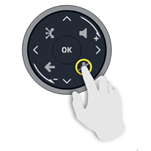
Tasto OK Consente di attivare le scelte e le opzioni proposte in corso di programmazione o configurazione. Utilizzare questo tasto per rispondere a una chiamata in arrivo con il dispositivo audio predefinito (modalità vivavoce). |

1) In modalità 'preesistente', il tasto si illumina continuamente di blu.
Gesto Smart Pad
|
Pressione breve
|
Pressione lunga
|
Ruotare
|

L'anello luminoso non è sensibile al tocco. Posizionare il dito nell'incavo dello Smart Pad per qualsiasi azione. Per eseguire l'azione di rotazione, è necessario muovere il dito di almeno un quarto di giro perché l'azione venga accettata.
ALE Link
|
ALE Link è una procedura guidata di connessione che consente di collegare facilmente l'Enterprise DeskPhone a una rete e a un servizio di comunicazione. Sia che si utilizzi una connessione Ethernet, Wi-Fi, Bluetooth o USB, ALE Link offre un'interfaccia chiara e intuitiva per guidare l'utente nel processo di connessione. |
||||
|
|
Aprire il manager delle connessioni. Vengono elencate
tutte le connessioni disponibili e riportati i loro stati. |
|
||
|
|
|
Connessione cablata. |
||
|
|
|
Connessione wireless. |
||
|
|
Stato connessione: |
|||
|
|
|
Interfaccia di connessione utilizzata per collegarsi al servizio. |
||
|
|
|
Servizio attivo. |
||
|
|
|
Servizio inattivo. |
||
|
|
Aprire il manager dispositivi. |
|
||
|
|
|
Auricolare |
||
|
|
|
Ricevitore |
||
|
|
|
Conferenze |
||
|
|
|
Tipo di connessione: Bluetooth® |
||
|
|
|
Tipo di connessione: USB |
||
|
|
|
Dispositivo connesso. |
|
|


 :
È possibile impostare il dispositivo preferito direttamente dall'ALE Link su
dispositivi USB e connessi tramite Bluetooth®.
:
È possibile impostare il dispositivo preferito direttamente dall'ALE Link su
dispositivi USB e connessi tramite Bluetooth®.
LED luminosi
Lo Smart Pad contiene un gran numero di notifiche indicate dal colore dei led.
L'anello intorno allo Smart Pad e i tasti possono illuminarsi a seconda dell'evento. L'anello può illuminarsi completamente o parzialmente a seconda del caso.
Anello dello Smart Pad
L'anello dello Smart Pad si compone di 8 segmenti che possono illuminarsi di blu, rosso o viola:
|
|
|
|
|


Tasti dello Smart Pad
|
|
4 tasti sullo Smart Pad lampeggiano lentamente di blu quando attivati. Questi tasti sono illuminati di blu per mostrare le azioni disponibili (vivavoce, microfono disattivato, indietro)2. |

Gestione dei LED - modalità 'Guidata con luce' (modalità predefinita)
Legenda:
|
Spento |
Luce blu attenuata |
Molto illuminato (blu, viola o rosso) |
|
|
||||
|
LED luminosi |
Anello dello Smart Pad |
Tasto vivavoce/altoparlante |
Tasto Disattiva audio e interfono |
Tasto indietro/esci |
||||
|
In stato di inattività, screen saver attivato |
|
|
|
|
||||
|
In stato di inattività, sveglio |
|
|
|
|
||||
|
In stato di inattività, sveglio, Interfonia attivata |
|
|
|
|
||||
|
Chiamata in entrata (suoneria) |
|
|
|
|
||||
|
In conversazione con ricevitore o auricolare |
|
|
|
|
||||
|
In conversazione in modalità vivavoce |
|
|
|
|
||||
|
In conversazione con ricevitore o auricolare, chiamata in attesa |
|
|
|
|
||||
|
In conversazione in modalità vivavoce, chiamata in attesa |
|
|
|
|
||||
|
Microfono disattivato con ricevitore o auricolare |
|
|
|
|
||||
|
Parlare nel ricevitore quando il microfono è disattivato(4) |
|
|
|
|
||||
|
Microfono disattivato in modalità vivavoce |
|
|
|
|
||||
|
Parlare in modalità vivavoce quando il microfono è disattivato(4) |
|
|
|
|
||||
|
Durante le impostazioni (Impostazioni) Contatti Registri delle chiamate |
Spento |
Spento |
Spento |
|
||||





1) In modalità 'preesistente', il tasto si illumina
continuamente di blu. 2) In modalità 'preesistente', il tasto lampeggia di blu.
3) In modalità 'preesistente', il tasto si illumina
leggermente di blu. 4) Se si parla mentre il microfono è disattivato
quando si utilizza il ricevitore o la modalità vivavoce, la suoneria dello
Smart Pad lampeggia in rosso per avvertire che l'interlocutore non può sentire (questa
opzione può essere disattivata - Vedere: Abilita/disabilita l'avviso quando si parla mentre il
microfono è disattivato).
Casi d'uso
|
Chiamate in arrivo |
|
|
|
L'anello dello Smart Pad lampeggia di blu. Il tasto vivavoce/altoparlante si illumina di blu per indicare lo stato di sgancio del vivavoce(1). |
|
Durante la conversazione |
|
|
|
Si è in conversazione con ricevitore o auricolare. · L'anello dello Smart Pad si illumina di viola. · Il tasto vivavoce/altoparlante è illuminato di blu: la modalità vivavoce è disponibile se lo si desidera(2). · Il tasto 'disattivazione microfono' è illuminato di blu(2): è possibile disattivare il microfono, se lo si desidera. · Tasto indietro/esci (2): durante la conversazione è possibile visualizzare la home page o una pagina predefinita (definita nelle impostazioni). |
|
|
Premere il pulsante vivavoce/altoparlante per attivare la modalità vivavoce. Il tasto lampeggia lentamente di blu(1). Il tasto 'disattivazione microfono' è illuminato di blu(2). |
|
|
È in corso una conversazione. Premere il tasto microfono disattivato. Il tasto lampeggia lentamente di blu(1). L'anello dello Smart Pad si illumina di rosso. Il microfono è stato disattivato. Se si parla mentre il microfono è disattivato quando si utilizza il ricevitore o la modalità vivavoce, la suoneria dello Smart Pad lampeggia in rosso per avvertire che l'interlocutore non può sentire. |


1) In modalità 'preesistente', il tasto si illumina continuamente di blu. 2) In modalità 'preesistente', il tasto si illumina leggermente di blu.
Altri casi d'uso
|
Stato inattivo |
|
|
Avvio Durante la fase di avvio, l'anello dello Smart Pad ruota in senso orario in viola fino a quando l'avvio non sarà terminato. |
|
|
Aggiornamento Durante l'aggiornamento del software, l'anello dello Smart Pad ruota in senso orario in viola fino a quando l'aggiornamento non sarà terminato. |


Smart Pad
Descrição
|
|

|
|
|
Tecla mãos-livres/altifalante Ao premir esta tecla atende uma chamada recebida no modo mãos-livres. Quando ativada, a tecla pisca lentamente a azul(1). Ao premir esta tecla, alterna entre os modos de áudio suportados: mãos-livres, auricular, auscultador ou ouvir um grupo (altifalante) durante uma chamada. Pressione esta tecla no estado de inatividade para abrir a funcionalidade de procurar por nome. |
|
|
Tecla silêncio e intercomunicador Tecla Silencioso: durante uma chamada, prima esta tecla para impedir o seu interlocutor de o ouvir. Quando colocado em silêncio, o botão pisca lentamente a azul e o círculo do Smart Pad acende-se a vermelho. Se falar enquanto o microfone estiver em silêncio, quando estiver a utilizar o telefone ou o modo mãos livres, o círculo do Smart Pad irá piscar a vermelho para o avisar que a outra parte não o consegue ouvir. Tecla de interfonia: quando inativo, prima esta tecla para mudar o telefone para o modo de interfonia. Quando recebe uma chamada, o telefone atende automaticamente no modo mãos-livres. Quando ativada, a tecla pisca lentamente a azul. A interfonia pode ser desativada pelo administrador. |
|
|
|
|
Tecla retroceder/sair Uma ligeira pressão nesta tecla permite-lhe voltar à página anterior. Dependendo do contexto, pode ser-lhe perguntado para guardar ou não guardar uma alteração nas definições. Consoante o contexto, uma pressão demorada sobre esta tecla permite-lhe: · Retroceda à página inicial (Contactos, Registo de chamadas, Teclas de programação). · Retroceder ao menu local (Definições). Esta tecla também fecha o teclado virtual. |
|
|
ALE link Ligar e gerir todos os dispositivos ligados por Bluetooth® ou USB, tais como, auscultador ALE Bluetooth®, auricular, smartphone, PC, etc. Gerir e ligar a uma rede com ou sem fios. O seu telefone de secretária deve estar equipado com: ALE-108 Wireless Module. |


|
|
|
Browser Para cima-para baixo |
|
|
Browser para a esquerda - para a direita Na edição de texto, utilizar esta tecla para navegar na caixa de texto. Para o ALE-300, utilizar estas teclas para navegar entre as diferentes páginas. |
|
|
|
Rodar no sentido dos ponteiros do relógio Aumentar o volume (toque ou estado da chamada). Deslocação vertical para cima. |
|
|
|
Rodar no sentido contrário ao dos ponteiros do relógio Baixar o volume (toque ou estado da chamada). Deslocação vertical para baixo. |
|
|
|
Tecla OK Permite validar as diferentes escolhas e opções propostas que estão a ser programadas ou configuradas. Utilize esta tecla para atender uma chamada com o dispositivo de áudio predefinido (modo mãos-livres). |
1) No modo 'legado', a tecla acende-se sempre a azul.
Gesto de Smart Pad
|
Premir ligeiramente
|
Pressão contínua
|
Rodar
|
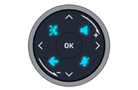


O círculo luminoso não é sensível ao toque. Para qualquer ação coloque o seu dedo na cavidade do Smart Pad. Para executar a ação de rotação, é necessário mover o dedo pelo menos um quarto de volta para que a ação seja aceite.
ALE Link
|
O ALE Link é um assistente de conexão integrado que foi concebido para o ajudar facilmente a ligar o seu Enterprise DeskPhone a uma rede e a um serviço de comunicações. Quer esteja a utilizar uma ligação Ethernet, Wi-Fi, Bluetooth ou USB, o ALE Link proporciona-lhe uma interface clara e intuitiva que o orientam no processo de conexão. |
||||
|
|
Abrir o gestor de conexão. Todas as
conexões disponíveis e os respetivos estados estão listados. |
|
||
|
|
|
Ligação com fios. |
||
|
|
|
Ligação sem fios. |
||
|
|
Estado da ligação: |
|||
|
|
|
Interface de conexão utilizada para ligar ao serviço. |
||
|
|
|
Serviço ativo. |
||
|
|
|
Serviço inativo. |
||
|
|
Abrir o gestor do dispositivo. |
|
||
|
|
|
Auscultador |
||
|
|
|
Auscultador |
||
|
|
|
Conferência |
||
|
|
|
Tipo de ligação: Bluetooth® |
||
|
|
|
Tipo de ligação: USB |
||
|
|
|
Dispositivo ligado. |
|
|


 : Pode definir o dispositivo preferido diretamente a partir
do ALE Link em dispositivos conectados USB e Bluetooth®.
: Pode definir o dispositivo preferido diretamente a partir
do ALE Link em dispositivos conectados USB e Bluetooth®.
Indicador luminoso
O Smart Pad contém um grande número de notificações indicadas pela cor dos Led.
O círculo à volta do Smart Pad e as teclas podem acender-se, dependendo do evento. O círculo pode acender-se total ou parcialmente, dependendo do caso.
Círculo do Smart Pad
O círculo do Smart Pad é constituído por 8 segmentos que podem ser iluminados a azul, vermelho ou roxo:
|
|
|
|
|


Teclas do Smart Pad
|
|
Quando ativado, acendem-se 4 teclas no Smart Pad. Estas teclas iluminam-se ligeiramente a azul para mostrar as ações disponíveis (mãos-livres, silêncio, voltar)2. |

Gestão de LED - modo 'guiado com luz' (modo predefinido)
Legenda:
|
Desligado |
Luz azul escurecida |
Fortemente iluminado (azul ou roxo ou vermelho) |
|
|
||||
|
Indicador luminoso |
Círculo do Smart Pad |
Tecla mãos-livres/altifalante |
Tecla silêncio e intercomunicador |
Tecla retroceder/sair |
||||
|
Em estado inativo, proteção de ecrã ativada |
|
|
|
|
||||
|
Em estado de espera, ativo |
|
|
|
|
||||
|
Em estado de espera, ativo, Interfonia ativada |
|
|
|
|
||||
|
Chamada entrada (a tocar) |
|
|
|
|
||||
|
Numa conversa com auscultador ou auricular |
|
|
|
|
||||
|
Numa conversa em modo mãos-livres |
|
|
|
|
||||
|
Numa conversa com auscultador ou auricular, chamada em espera |
|
|
|
|
||||
|
Numa conversa em modo mãos-livres, chamada em espera |
|
|
|
|
||||
|
Em silêncio com auscultador ou auricular |
|
|
|
|
||||
|
A falar para o telefone enquanto o microfone está em silêncio(4) |
|
|
|
|
||||
|
Em silêncio em modo mãos-livres |
|
|
|
|
||||
|
A falar em modo de mãos livres enquanto o microfone está em silêncio(4) |
|
|
|
|
||||
|
Durante as definições (Definições) Contactos Registo de chamadas |
Desligado |
Desligado |
Desligado |
|
||||


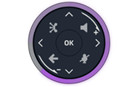




1) No modo 'legado', a tecla acende-se sempre a azul. 2) No modo 'legado', a tecla pisca a azul.
3) No modo 'legado', a tecla está
ligeiramente iluminada a azul. 4) Se falar enquanto o microfone
estiver em silêncio, quando estiver a utilizar o telefone ou o modo mãos
livres, o círculo do Smart Pad irá piscar a vermelho para o avisar que a outra
parte não o consegue ouvir (esta opção está desativada - Ver: Ativar/desativar o
aviso quando estiver a falar enquanto o microfone está em silêncio).
Casos de utilização
|
Chamadas recebidas |
|
|
|
O círculo do Smart Pad está a piscar a azul. A tecla mãos-livres/altifalante acende-se a azul para indicar o estado de mãos-livres fora do descanso(1). |
|
Durante a conversa |
|
|
|
Está numa conversa com o auscultador ou o auricular. · O círculo do Smart Pad acende-se a roxo. · A tecla mãos-livres/altifalante acende-se a azul: o modo mãos-livres está disponível se o desejar(2). · A tecla 'silêncio' está iluminada a azul(2): pode silenciar o microfone se o desejar. · Tecla retroceder/sair (2): pode apresentar a página inicial ou uma página predefinida (definida nas definições) durante a conversa. |
|
|
Prima a tecla mãos-livres/altifalante para alternar para o modo mãos-livres. A tecla está a piscar lentamente a azul(1). A tecla 'silêncio' está iluminada a azul(2). |
|
|
Está a decorrer uma conversa. Prima a tecla silêncio. A tecla está a piscar lentamente a azul(1). O círculo do Smart Pad acende-se a vermelho. O microfone está em silêncio. Se falar enquanto o microfone estiver em silêncio, quando estiver a utilizar o telefone ou o modo mãos livres, o círculo do Smart Pad irá piscar a vermelho para o avisar que a outra parte não o consegue ouvir. |


1) No modo 'legado', a tecla acende-se sempre a azul. 2) No modo 'legado', a tecla está ligeiramente iluminada a azul.
Outros casos de utilização
|
Estado de inatividade |
|
|
Arranque Durante a fase de arranque, o círculo do Smart Pad roda no sentido dos ponteiros do relógio a roxo até o arranque estar concluído. |
|
|
Atualização Durante a atualização do software, o círculo do Smart Pad gira no sentido dos ponteiros do relógio a roxo até a atualização estar concluída. |

Smart Pad
Açıklama
|
|

|
|
|
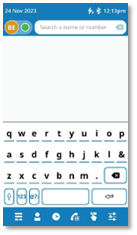
Eller serbest/Hoparlör tuşu Bu tuşa basıldığında gelen arama eller serbest modunda yanıtlanır. Etkinleştirildiğinde tuş yavaşça mavi renkte yanıp söner(1). Bu tuşa basıldığında görüşme devan ederken desteklenen ses modları arasında geçiş yapılır: eller serbest, kulaklık, ahize veya grup dinleme (hoparlör). Ada göre arama özelliğini açmak için boş durumdayken bu tuşa basın. |
|
|
Sessiz ve intercom tuşu Sessiz tuşu: Arama sırasında kişinizin sizi duymasını önlemek için bu tuşa basın. Sessize alındığında düğme yavaşça mavi renkte yanıp söner ve Smart Pad halkası kırmızı renkte yanar. Ahize veya eller serbest mod kullandığınız sırada mikrofon sessize alınmışken konuşursanız Smart Pad halkası kırmızı yanıp sönerek karşı tarafın sizi duyamadığını belirtir. Dahili telefon tuşu: boştayken telefonu dahili telefon moduna değiştirmek için bu tuşa basın. Bir arama aldığınızda telefon otomatik olarak açılır ve doğrudan eller serbest moduna girer. Etkinleştirildiğinde tuş yavaşça mavi renkte yanıp söner. Dahili telefon özelliği yönetici tarafından devre dışı bırakılabilir. |
|
|
|
|
Geri/Çıkış tuşu Bu tuşa kısa basmak önceki sayfaya dönmenizi sağlar. Bağlama bağlı olarak, ayarlarda bir değişikliği kaydedip kaydetmeyeceğiniz sorulabilir. Bağlama bağlı olarak bu tuşa uzun basmak şunları yapmanızı sağlar: · Ana sayfaya geri dönün (Kişiler, Arama kaydı, Prog. düğmeleri). · Yerel menüye geri dönün (Ayarlar). Bu tuş aynı zamanda sanal klavyeyi de kapatır. |
|
|
ALE link ALE Bluetooth® ahize, kulaklık, akıllı telefon, PC gibi tüm Bluetooth® veya USB bağlantılı cihazları bağlayın ve yönetin Kablolu veya kablosuz bir ağı yönetin veya bu ağlara bağlanın. Masa telefonunuzda şunlar bulunmalıdır: ALE-108 Wireless Module. |


|
|
|
Yukarıdan aşağıya arama |
|
|
Soldan sağa arama Metin düzenlemesinde, metin kutusunda gezinmek için bu tuşu kullanın. ALE-300'de farklı sayfalar arasında gezinmek için bu tuşları kullanın. |
|
|
|
Saat yönünde döndür Sesi (zil sesi veya arama durumu) yükselt. Yukarı dikey kaydırma. |
|
|
|
Saat yönünün tersine döndür Sesi (zil sesi veya arama durumu) alçalt. Aşağı dikey kaydırma. |
|
|
|
OK tuşu Programlama ya da yapılandırma sırasında önerilen çeşitli tercih ve seçenekleri geçerli kılmaya olanak sağlar. Varsayılan ses cihazıyla gelen bir aramayı cevaplamak için bu tuşu kullanın (eller serbest modu). |


1) 'eski' modda tuş sürekli olarak mavi renkte yanar.
Smart Pad hareketi
|
Kısa basış
|
Uzun basış
|
Döndür
|
Işıklı halka dokunmaya duyarlı değildir. Lütfen herhangi bir işlem için parmağınızı Smart Pad'in boşluğuna yerleştirin. Döndürme eylemini gerçekleştirmek için parmağınızı en az çeyrek tur hareket ettirirseniz eylem geçerli olacaktır.
ALE Link
|
ALE Link, Kurumsal Masa Telefonunuzu bir ağa ve iletişim servisine kolayca bağlamanıza yardımcı olmak üzere tasarlanmış yerleşik bir bağlantı sihirbazıdır. Ethernet, Wi-Fi, Bluetooth veya USB bağlantısı kullanıyor olabilirsiniz, ALE Link size bağlantı sürecinde kullanıcı dostu, net bir arayüz sunar. |
||||
|
|
Bağlantı yöneticisini açın. Tüm
kullanılabilir bağlantılar ve durumları listelenir. |
|
||
|
|
|
Kablolu bağlantı. |
||
|
|
|
Kablosuz bağlantı. |
||
|
|
Bağlantı durumu: |
|||
|
|
|
Servise bağlanmak için kullanılan bağlantı arabirimi. |
||
|
|
|
Servis etkin. |
||
|
|
|
Servis devre dışı. |
||
|
|
Cihaz yöneticisini açın. |
|
||
|
|
|
Ahize |
||
|
|
|
Ahize |
||
|
|
|
Konferans |
||
|
|
|
Bağlantı türü: Bluetooth® |
||
|
|
|
Bağlantı türü: USB |
||
|
|
|
Cihaz bağlandı. |
|
|
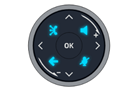


 :
Tercih ettiğiniz cihazı doğrudan USB ve Bluetooth® bağlantılı
cihazlardaki ALE Bağlantısından ayarlayabilirsiniz.
:
Tercih ettiğiniz cihazı doğrudan USB ve Bluetooth® bağlantılı
cihazlardaki ALE Bağlantısından ayarlayabilirsiniz.
LED
Smart Pad'de LED renkleriyle gösterilen çok sayıda bildirim bulunur.
Smart Pad'in etrafındaki halka ve tuşlar olaya bağlı olarak yanabilir. Halka, duruma bağlı olarak tamamen veya kısmen yanabilir.
Smart Pad halkası
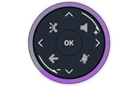
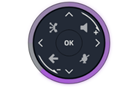
Smart Pad halkası mavi, kırmızı veya mor renkte yanabilen 8 segmentten oluşur:
|
|
|
|
|


Smart Pad tuşları
|
|
Etkinleştirildiğinde Smart Pad'deki 4 tuş yavaşça mavi renkte yanıp söner. Bu tuşlar, mevcut eylemleri (eller serbest, sessize alma, geri) göstermek için mavi renkte yanar2. |

LED yönetimi - 'Işıkla yönlendirme' modu (varsayılan mod)
Açıklamalar:
|
Kapalı |
Soluk mavi ışık |
Güçlü bir şekilde yanıyor (mavi veya mor ya da kırmızı) |
|
|
||||
|
LED |
Smart Pad halkası |
Eller serbest/Hoparlör tuşu |
Sessiz ve intercom tuşu |
Geri/Çıkış tuşu |
||||
|
Boşta durumunda ekran koruyucu etkinleştirildi |
|
|
|
|
||||
|
Boşta durumunda, uyanık |
|
|
|
|
||||
|
Boşta durumunda, uyanık, Interphony etkin |
|
|
|
|
||||
|
Gelen arama (zil sesi) |
|
|
|
|
||||
|
Ahize veya kulaklıkla görüşmede |
|
|
|
|
||||
|
Eller serbest modunda görüşmede |
|
|
|
|
||||
|
Ahize veya kulaklıkla görüşmede, arama beklemedeyken |
|
|
|
|
||||
|
Eller serbest modunda görüşmede, arama beklemedeyken |
|
|
|
|
||||
|
Ahize veya kulaklıkla sessize alınmış |
|
|
|
|
||||
|
Mikrofon sessize alınmışken ahizeyle konuşma(4) |
|
|
|
|
||||
|
Eller serbest modunda sessize alınmış |
|
|
|
|
||||
|
Mikrofon sessize alınmışken eller serbest modda konuşma(4) |
|
|
|
|
||||
|
Ayarlar sırasında (Ayarlar) Kişiler Arama kaydı |
Kapalı |
Kapalı |
Kapalı |
|
||||




1)
'eski' modda tuş sürekli olarak mavi renkte yanar. 2)
'eski' modda tuş mavi renkte yanıp söner.
3) 'eski' modda tuş soluk mavi renkte yanar. 4)
Ahize veya eller serbest mod kullandığınız sırada mikrofon sessize alınmışken
konuşursanız Smart Pad halkası kırmızı yanıp sönerek karşı tarafın sizi
duyamadığını belirtir (bu seçenek devre dışı bırakılabilir. - Bkz: Mikrofon sessize
alınmışken konuşulduğunda uyarıyı etkinleştir/devre dışı bırak).
Kullanım durumları
|
Gelen aramalar |
|
|
|
Smart Pad halkası mavi renkte yanıp sönüyor. Eller serbest/hoparlör tuşu, eller serbest modunda ahizesiz ahizenin açık olduğunu göstermek için mavi renkte yanar(1). |
|
Görüşme sırasında |
|
|
|
Ahize veya kulaklık ile görüşme yapıyorsunuz. · Smart Pad halkası mor renkte yanar. · Eller serbest/hoparlör tuşu mavi renkte yanar: istenirse eller serbest modu kullanılabilir(2). · 'sessize alma' tuşu mavi renkte yanar(2): isterseniz mikrofonun sesini kapatabilirsiniz. · Geri/Çıkış tuşu (2): görüşme sırasında ana sayfayı veya varsayılan sayfayı (ayarlarda tanımlanır) görüntüleyebilirsiniz. |
|
|
Eller serbest modunda geçiş yapmak için eller serbest/hoparlör tuşuna basın. Tuş yavaşça mavi renkte yanıp söner(1). 'sessize alma' tuşu mavi renkte yanar(2). |
|
|
Görüşmedesiniz. Sessize alma tuşuna basın. Tuş yavaşça mavi renkte yanıp söner(1). Smart Pad halkası kırmızı renkte yanar. Mikrofon sesi kapatıldı. Ahize veya eller serbest mod kullandığınız sırada mikrofon sessize alınmışken konuşursanız Smart Pad halkası kırmızı yanıp sönerek karşı tarafın sizi duyamadığını belirtir. |

1) 'eski' modda tuş sürekli olarak mavi renkte yanar. 2) 'eski' modda tuş soluk mavi renkte yanar.
Diğer kullanım durumları
|
Boşta durumunda |
|
|
Açılış Açılış aşaması sırasında Smart Pad halkası, güncelleme bitene kadar mor renkte saat yönünde döner. |
|
|
Güncelleme Yazılım güncellemesi sırasında Smart Pad halkası, güncelleme bitene kadar mor renkte saat yönünde döner. |

Smart Pad
描述
|
|

|
|
|
免提/扬声器键 按此键可在免提模式下接听来电。 激活后,键缓慢闪烁蓝色(1)。 在通话过程中按此键可在支持的音频模式之间切换:免提、耳机、听筒或组收听(扬声器)。 在空闲状态下按此键可打开 '按姓名搜索' 功能。 |
|
|
静音和对讲键 静音键: 在通话过程中,按此键可阻止您的联系人听到您的声音。 静音后,按钮会缓慢闪烁蓝色,Smart Pad 环会亮起红色。 如果您在使用手柄或免提模式时在麦克风静音的情况下讲话,Smart Pad 环会闪烁红色以提示您对方听不到您的声音。 话机内键: 空闲时,按下该键,将话机切换至对讲模式。 当您接到电话时,话机会自动应答并进入免提模式。 激活后,键缓慢闪烁蓝色。 对讲可由管理员禁用。 |
|
|
|
|
返回/退出键 短按此键将使您返回到上一页。 根据实际场景,可能会询问您是否要保存设置中的更改。 根据上下文,长按此键可以: · 返回主页 (联系人, 呼叫日志, 程序键)。 · 返回本地菜单 (设置)。 此键还会关闭虚拟键盘。 |
|
|
ALE link 连接和管理所有连接蓝牙或 USB 的设备,例如 ALE 蓝牙® 听筒、耳机、智能手机、PC…… 管理和连接有线或无线网络。 您的桌面话机必须配备: ALE-108 Wireless Module。 |


|
|
|
上下导航器: |
|
|
左右导航器: 在文本编辑期间, 使用此键可以导航到文本框。 对于 ALE-300,使用这些键在不同页面之间导航。 |
|
|
|
顺时针旋转 调高音量(振铃或呼叫状态)。 向上垂直滚动。 |
|
|
|
逆时针旋转 调低音量(振铃或呼叫状态)。 向下垂直滚动。 |
|
|
|
OK键: 用来在编程或配置时验证您的选择和选项。 使用此键使用默认音频设备接听来电 (免提模式)。 |


1) 在'传统'模式下,键持续亮起蓝色。
Smart Pad 手势
|
短按
|
按住不放
|
旋转
|
光环对触摸不敏感。 请将手指放在 Smart Pad 的空洞中进行任何操作。 要执行旋转动作,您需要将手指移动至少四分之一圈,您的操作动作才会被接受。
ALE Link
|
ALE Link 是一款内置连接向导,旨在帮助您轻松地将 Enterprise DeskPhone 连接到网络和通信服务。 无论您使用的是以太网、Wi-Fi、蓝牙还是 USB 连接,ALE Link 都能为您提供清晰、用户友好的界面,引导您完成连接过程。 |
||||
|
|
打开连接管理器。 所有可用的连接及其状态都会被列出。 |
|
||
|
|
|
有线连接。 |
||
|
|
|
无线连接。 |
||
|
|
连接状态: |
|||
|
|
|
用于连接服务的连接接口。 |
||
|
|
|
服务已激活。 |
||
|
|
|
服务未激活。 |
||
|
|
打开设备管理器。 |
|
||
|
|
|
耳机 |
||
|
|
|
手柄 |
||
|
|
|
会议 |
||
|
|
|
连接类型: Bluetooth® |
||
|
|
|
连接类型: USB |
||
|
|
|
设备已连接。 |
|
|


 :
您可以直接通过 USB 和蓝牙® 连接设备上的 ALE Link 设置首选设备。
:
您可以直接通过 USB 和蓝牙® 连接设备上的 ALE Link 设置首选设备。
指示灯
Smart Pad 包含大量由 LED 颜色指示的通知。
Smart Pad 周围的环和键可能会亮起,具体视事件而定。 环可以完全或部分点亮,具体视情况而定。
Smart Pad 环
Smart Pad 环由 8 个部分组成,可以点亮为蓝色、红色或紫色:
|
|
|
|
|


Smart Pad 键
|
|
激活时 Smart Pad 上的 4 个键缓慢闪烁蓝色。 这些键亮起蓝色以显示可用的操作(免提、静音、返回)2. |

LED 管理 - '光引导'模式(默认模式)
图解:
|
关闭 |
暗淡的蓝光 |
强光(蓝色、紫色或红色) |
|
|
||||
|
指示灯 |
Smart Pad 环 |
免提/扬声器键 |
静音和对讲键 |
返回/退出键 |
||||
|
处于空闲状态,屏幕保护程序已激活 |
|
|
|
|
||||
|
处于闲置状态, 唤醒 |
|
|
|
|
||||
|
处于闲置状态, 唤醒, 对讲服务已激活 |
|
|
|
|
||||
|
来电 (振铃中) |
|
|
|
|
||||
|
正在使用手持机或耳机通话 |
|
|
|
|
||||
|
在免提模式下通话 |
|
|
|
|
||||
|
在使用手持听筒或耳机通话时保持呼叫 |
|
|
|
|
||||
|
在免提模式下通话时保持呼叫 |
|
|
|
|
||||
|
使用手持机或耳机静音 |
|
|
|
|
||||
|
麦克风静音时对着手柄讲话(4) |
|
|
|
|
||||
|
在免提模式下静音 |
|
|
|
|
||||
|
麦克风静音时以免提模式讲话(4) |
|
|
|
|
||||
|
在设置期间 (设置) 联系人 通话记录 |
关闭 |
关闭 |
关闭 |
|
||||




1) 在'传统'模式下,键持续亮起蓝色。 2) 在'传统'模式下,键闪烁蓝色。
3) 在'传统'模式下,键呈蓝色变暗。 4) 如果您在使用手柄或免提模式时在麦克风静音的情况下讲话,Smart Pad 环会闪烁红色以提示您对方听不到您的声音 (可以禁用此选项 - 参见: 启用/禁用麦克风静音时讲话的警告)。
用例
|
来电 |
|
|
|
Smart Pad 环呈蓝色闪烁。 免提/扬声器键亮起蓝色,显示免提摘机状态(1)。 |
|
通话期间 |
|
|
|
您现在使用手持机或耳机通话。 · Smart Pad 环亮起紫色。 · 免提/扬声器键亮起蓝色 :如果需要,可使用免提模式(2)。 · '静音'键亮起蓝色(2): 如果需要,可以将麦克风静音。 · 返回/退出键 (2): 你可以在对话期间显示主页或默认页面(在设置中定义)。 |
|
|
按免提/扬声器键,在免提模式下切换。 键缓慢闪烁蓝色(1)。 '静音'键亮起蓝色(2)。 |
|
|
您在通话中。 按下静音键。 键缓慢闪烁蓝色(1)。 Smart Pad 环亮起红色。 麦克风被静音。 如果您在使用手柄或免提模式时在麦克风静音的情况下讲话,Smart Pad 环会闪烁红色以提示您对方听不到您的声音。 |


1) 在'传统'模式下,键持续亮起蓝色。 2) 在'传统'模式下,键呈蓝色变暗。
其他用例
|
空闲状态 |
|
|
启动 在引导期间,Smart Pad 环呈紫色顺时针旋转,直到引导完成。 |
|
|
更新 在软件更新期间,Smart Pad 环呈紫色顺时针旋转,直到更新完成。 |

