Activate Microsoft®
integration
You need a Microsoft® 365 or Azure 365
account.
Activating Microsoft® integration enables
you to access your Microsoft® 365 contacts (the contacts defined in
your Microsoft® 365 account). Thus, ALE SoftPhone will display
and search for local and Microsoft® 365 directories. Think about
creating your contacts in Microsoft® 365 if you have an account, in
order to find them easily in Outlook 365 on mobile, tablet, laptop, desktop or
via a web browser.
|
Tap the tab: Settings,
and the following menu:
|

|
è
Contacts
è
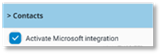
Activate Microsoft integration
|
|
Activate/deactivate
Microsoft® integration.
If you activate
Microsoft® integration, your Microsoft® Outlook/Azure
365 credentials will be requested.
|
|
|
|
|
|
Microsoft®
Office-Integration aktivieren
Sie benötigen ein Microsoft® Outlook 365-
oder Azure 365-Konto.
Die Aktivierung der Microsoft®-Integration
ermöglicht Ihnen den Zugriff auf IhreMicrosoft® 365-Kontakte
(die in Ihrem Microsoft® 365-Konto definierten Kontakte). Das ALE SoftPhone zeigt
somit lokale und Microsoft® 365-Verzeichnisse an und sucht nach
ihnen. Denken Sie darüber nach, Ihre Kontakte in Microsoft® 365
zu erstellen, wenn Sie ein Konto haben, um sie leicht in Outlook 365 auf
dem Mobiltelefon, Tablet, Laptop, Desktop oder über einen Webbrowser zu finden.
|
Tippen Sie auf die Registerkarte: Einstellungen,
und das folgende Menü:
|

|
è
Kontakte
è
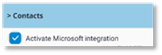
Microsoft-Integration aktivieren
|
|
Microsoft®-Integration
aktivieren/deaktivieren.
Wenn Sie die Microsoft®-Integration
aktivieren, werden Ihre Microsoft®
Outlook/Azure 365-Anmeldedaten abgefragt.
|
|
|
|
|
|
Activar la integración de
Microsoft®
Se necesita una cuenta de Microsoft® Outlook
365 o Azure 365.
La habilitación de la integración con Microsoft®
le permite acceder a sus contactos de Microsoft® 365 (los contactos
definidos en su cuenta de Microsoft® 365). Así, ALE SoftPhone mostrará y
buscará directorios locales y de Microsoft® 365. Considere crear sus
contactos en Microsoft® 365 si tiene una cuentapara, así, poder
encontrarlos fácilmente en Outlook 365 en el móvil, la tableta, el portátil, el
ordenador de sobremesa o a través de un navegador web.
|
Pulsar la pestaña: Configuración,
y el siguiente menú:
|

|
è
Contactos
è
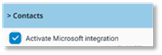
Activar integración Microsoft
|
|
Activar/desactivar la
integración de Microsoft®.
Si se activa la
integración con Microsoft®, se solicitarán las credenciales de
Microsoft® Outlook/Azure 365.
|
|
|
|
|
|
Activer l'intégration
Microsoft®
Vous avez besoin d'un compte Microsoft®
Outlook 365 ou Azure 365.
L'activation de l'intégration Microsoft®
vous permet d'accéder à vos contact Microsoft® 365 (les contacts
définis dans votre compte Microsoft® 365). Ainsi, ALE SoftPhone affichera et
recherchera les annuaires locaux et Microsoft® 365. Pensez à créer
vos contacts dans Microsoft® 365 si vous avez un compte, afin de les
retrouver facilement dans Outlook 365 sur mobile, tablette, ordinateur
portable, ordinateur de bureau ou via un navigateur web.
|
Taper sur l'onglet: Réglages,
et le menu suivant:
|

|
è
Contacts
è
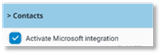
Activer l'intégration Microsoft
|
|
Activer/désactiver
l'intégration Microsoft®.
Si vous activez
l'intégration Microsoft®, vos informations d'identification
Outlook/Azure 365 vous seront demandées.
|
|
|
|
|
|
Attivare l'integrazione
con Microsoft®
È necessario un account Microsoft® Outlook
365 o Azure 365.
L'attivazione dell'integrazione Microsoft®
consente all'utente di accedere ai propri contatti Microsoft® 365 (i
contatti definiti nel proprio account Microsoft® 365). In questo modo, ALE
SoftPhone visualizzerà e cercherà le rubriche locali e quelle di Microsoft®
365. È possibile creare i propri contatti in Microsoft® 365 se si
dispone di un account, per trovarli facilmente in Outlook 365 su cellulare,
tablet, laptop, desktop o tramite un browser web.
|
Toccare la scheda: Impostazioni,
e il seguente menu:
|

|
è
Contatti
è
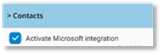
Attiva integrazione Microsoft
|
|
Attivare/disattivare
l'integrazione con Microsoft®.
Se si attiva
l'integrazione Microsoft®, verranno richieste le credenziali di
Microsoft® Outlook/Azure 365.
|
|
|
|
|
|
Ativar a integração
Microsoft®
Necessita de uma conta no Microsoft® Outlook
365 ou no Azure 365.
Ativar a integração Microsoft® permite-lhe
aceder aos seus contactos do Microsoft® 365 (os contactos definidos
na sua conta Microsoft® 365). Assim, a ALE SoftPhone apresentará
e pesquisará os diretórios locais e do Microsoft® 365. Pense em
criar os seus contactos no Microsoft® 365 se tiver uma conta, para
os encontrar facilmente no Outlook 365 no telemóvel, tablet, computador
portátil, desktop ou através de um web browser.
|
Toque no separador: Definições,
e o seguinte menu:
|

|
è
Contactos
è
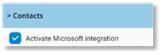
Ativar integração com o Microsoft
|
|
Ativar/desativar a
integração Microsoft®.
Se ativar a integração
Microsoft®, serão solicitadas as suas credenciais Microsoft®
Outlook/Azure 365.
|
|
|
|
|
|
Microsoft® integratie
activeren
U hebt een Microsoft® 365 of Azure 365 account nodig.
Door Microsoft® integratie te activeren heeft u toegang
tot uw Microsoft® 365 contactpersonen (de contactpersonen die zijn gedefinieerd
in uw Microsoft® 365 account) .
ALE SoftPhone toont en zoekt nu lokale en Microsoft® 365 mappen . U kunt
overwegen om uw contactpersonen aan te maken in Microsoft® 365 als u een
account hebt, zodat u ze eenvoudig kunt terug vinden in Outlook 365 op mobiel,
tablet, laptop, desktop of via een webbrowser.
|
Tik op het tabblad : Instellingen,
en het volgende menu:
|

|
è
Contactpersonen
è
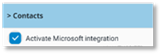
Microsoft-integratie activeren
|
|
Microsoft® integratie
activeren/deactiveren.
Als u Microsoft®
integratie activeert, worden uw Microsoft® Outlook/Azure 365 referenties
gevraagd.
|
|
|
|
|
|