Information about the phone
The main screen can display all SIP accounts used on the phone and programmable keys.
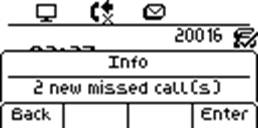
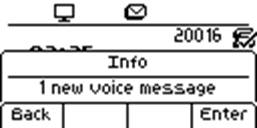
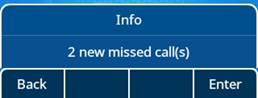
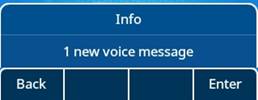
Information about new events such as missed calls and new voice mail(s) are displayed in a pop-up on the main screen. The message key flashes red when you have received a new voice mail.
Information about the events
|
History |
Press the History key to view missed calls. |
|
|
Press the Message key to access voicemail. |

Information about the phone status
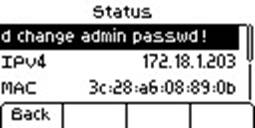
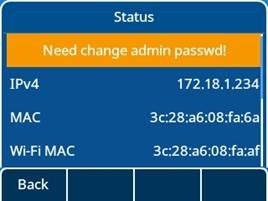
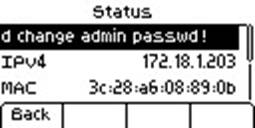
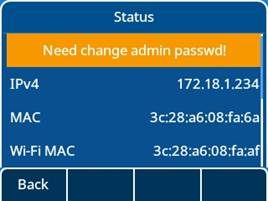
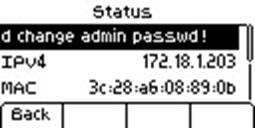
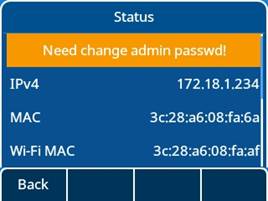
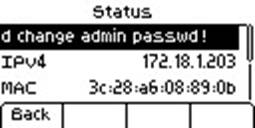
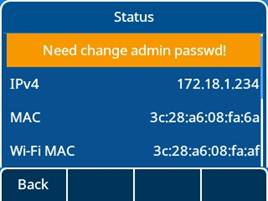
In idle screen, you can press the OK key to get the phone’s basic information, including the phone’s IP address, MAC address, and software version, etc. You can also use up-down navigation keys to select More for information about the phone’s network and account.
Informations sur le téléphone
L’écran principal peut afficher tous les comptes SIP utilisés sur le téléphone et les touches programmables.
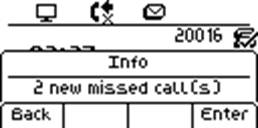
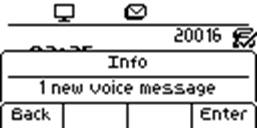
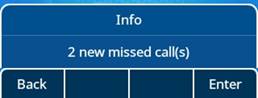
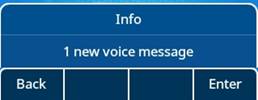
Les informations sur les nouveaux événements tels que les appels manqués et les nouveaux messages vocaux s’affichent dans une fenêtre contextuelle sur l’écran principal. La touche message clignote en rouge quand vous avez reçu un nouveau message vocal ou un appel manqué.
Informations sur les événements
|
Historique |
Appuyer sur la touche Historique pour afficher les appels manqués. |
|
|
Appuyer sur la touche Message pour accéder à la messagerie vocale. |

Informations sur l’état du téléphone
Dans l'écran de veille, vous pouvez appuyer sur la touche OK pour accéder aux informations de base du téléphone, notamment l'adresse IP, l'adresse MAC et la version du logiciel. Vous pouvez également utiliser les touches de navigation haut-bas pour sélectionner Plus pour obtenir des informations sur le réseau et le compte du téléphone.
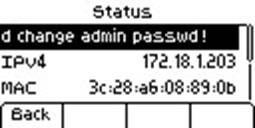
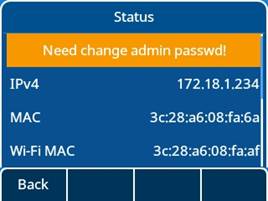
Informationen über das Telefon
Auf dem Hauptbildschirm können alle auf dem Telefon verwendeten SIP-Konten und programmierbaren Tasten angezeigt werden.
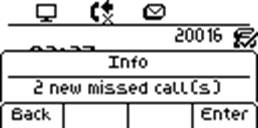
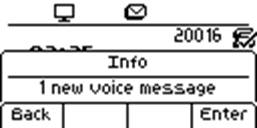
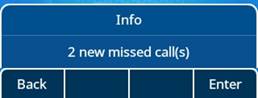
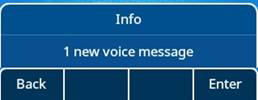
Informationen über neue Ereignisse wie verpasste Anrufe und neue Sprachnachricht(-en) werden in einem Benachrichtigungsfenster auf dem Hauptbildschirm angezeigt. Wenn Sie eine neue Sprachnachricht erhalten oder einen eingehenden Anruf verpasst haben, blinkt die Nachrichtentaste rot.
Informationen zu den Ereignissen
|
Verlauf |
Drücken Sie die Taste „Verlauf“, um entgangene Anrufe anzuzeigen. |
|
|
Drücken Sie die Nachrichtentaste, um auf Voicemail zuzugreifen. |

Informationen über den Telefonstatus
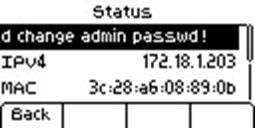
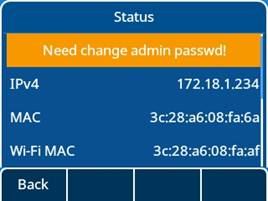
m Ruhebildschirm können Sie mit der OK-Taste die grundlegenden Informationen des Telefons abrufen, einschließlich der IP-Adresse, MAC-Adresse, Softwareversion usw. Wählen Sie „Mehr“ mithilfe der Navigationstasten oben-unten, um Informationen über das Netz und das Konto des Telefons zu erhalten.
Información sobre el teléfono
La pantalla principal puede mostrar todas las cuentas SIP utilizadas en el teléfono y las teclas programables.
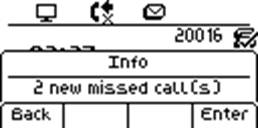
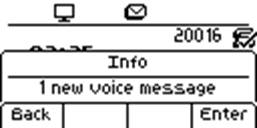
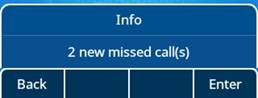
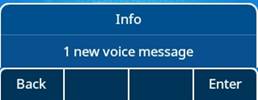
La información de nuevos eventos, como las llamadas perdidas y nuevos buzones de voz, se muestra en una ventana emergente en la pantalla principal. La tecla de mensajes parpadea en rojo cuando ha recibido un nuevo buzón de voz o ha perdido una llamada.
Información sobre los eventos
|
Historial |
Pulse la tecla Historial para ver las llamadas perdidas. |
|
|
Pulse la tecla Mensaje para acceder al buzón de voz. |

Información sobre el estado del teléfono
esde la pantalla de inactividad, pulse la tecla OK para obtener la información básica del teléfono, incluyendo la dirección IP del teléfono, la dirección MAC, la versión del software, etc. También puede utilizar las teclas de navegación arriba-abajo para seleccionar "Más" y obtener información sobre la red y la cuenta del teléfono.
Informazioni sul telefono
La schermata principale mostra tutti gli account SIP utilizzati sul telefono e i tasti programmabili.
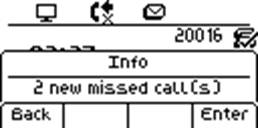
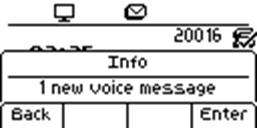
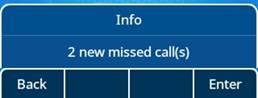
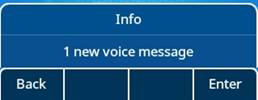
Informazioni su nuovi eventi, ad es. chiamate perse e nuovi messaggi vocali, vengono visualizzati in forma di messaggi pop-up sulla schermata principale. Il tasto Messaggio lampeggia in rosso nel caso di ricezione di un nuovo messaggio vocale o di una chiamata persa.
Informazioni sugli eventi
|
Cronologia |
Premere il tasto Cronologia per visualizzare le chiamate perse. |
|
|
Premere il tasto Messaggio per accedere alla casella di posta vocale. |

Informazioni sullo stato del telefono
Nella schermata inattiva, premere il tasto OK per visualizzare le informazioni di base del telefono, come l'indirizzo IP, l'indirizzo MAC, la versione del software, ecc. È anche possibile utilizzare i tasti di navigazione su-giù e selezionare Altro per visualizzare informazioni sulla rete e sull'account del telefono.
Informações sobre o telefone
A tela principal pode exibir todas as contas SIP usadas no telefone e as teclas programáveis.
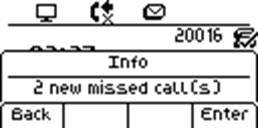
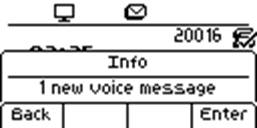
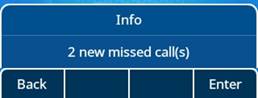
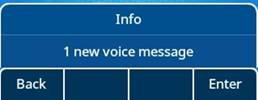
Informações sobre novos eventos, como chamadas perdidas e novas mensagens de voz são exibidas em um pop-up na tela principal. A tecla de mensagem pisca em vermelho quando você recebe um novo correio de voz ou perde uma chamada de entrada.
Informações sobre os eventos
|
Histórico |
Pressione a tecla Histórico para ver as chamadas não atendidas. |
|
|
Pressione a tecla Mensagem para acessar o correio de voz. |

Informações sobre o status do telefone
Na tela ociosa, é possível pressionar a tecla OK para obter as informações básicas do telefone, incluindo o endereço IP, endereço MAC, versão de software, etc. Também é possível usar as teclas de navegação para cima/para baixo para selecionar Mais e obter informações sobre a rede e a conta do telefone.