Accessing the MENU and navigating
|
Access the menu. |
Press the MENU key (short press). |
|
|
Select a function in the MENU. |
Use the navigator keys and press the OK key to select a function. |
|
|
|
|
|
|
Navigating within a function. |
You can move horizontally along the various icons within the function. Press the OK key to validate your choice. |
|
|
|
OR |
|
|
|
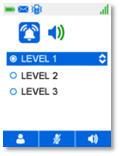
You can move vertically along the various labels within the function. Press the OK key to validate your choice. |




Accéder au MENU et navigation
|
Accéder au menu. |
Appuyer sur la touche MENU (appui court). |
|
|
Sélectionner une fonction dans le MENU. |
Utiliser les touches de navigation et appuyer sur la touche OK pour sélectionner une fonction. |
|
|
|
|
|
|
Naviguer dans une fonction. |
A l'intérieur de la fonction vous pouvez vous déplacer horizontalement sur les différents icônes. Appuyer sur la touche OK pour valider votre choix. |
|
|
|
OU |
|
|
|
Vous pouvez parcourir verticalement les différents labels dans la fonction. Appuyer sur la touche OK pour valider votre choix. |





Zugriff zum MENÜ und Navigation
|
Zugriff auf das Menü. |
Die Taste MENÜ drücken (Kurz drücken). |
|
|
Eine Funktion im MENÜ auswählen. |
Verwenden Sie die Navigationstasten und drücken Sie auf die Taste 'OK', um eine Funktion auszuwählen. |
|
|
|
|
|
|
Navigieren innerhalb einer Funktion. |
Innerhalb der Funktion können Sie sich horizontal zwischen den verschiedenen Icons bewegen. Drücken Sie auf die Taste 'OK', um Ihre Auswahl zu bestätigen. |
|
|
|
ODER |
|
|
|
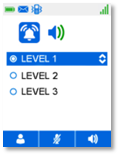
Sie können innerhalb der Funktion durch die verschiedenen Bezeichnungen navigieren. Drücken Sie auf die Taste 'OK', um Ihre Auswahl zu bestätigen. |





Acceder al MENÚ y navegación
|
Acceda al menú. |
Pulse la tecla MENÚ (pulsación breve). |
|
|
Seleccionar una función en el MENÚ. |
Utilice las teclas de navegación y pulse la tecla OK para seleccionar una función. |
|
|
|
|
|
|
Para desplazarse por una función. |
Dentro de la función usted puede desplazarse horizontalmente en los diferentes iconos. Pulse la tecla OK para validar su elección. |
|
|
|
- O bien - |
|
|
|
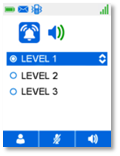
Puede desplazarse en vertical por las distintas etiquetas dentro de la función. Pulse la tecla OK para validar su elección. |





Accedere al MENU e navigazione
|
Accedere al menu. |
Premere il tasto MENU (pressione breve). |
|
|
Selezionare una funzione nel MENU. |
Utilizzare i tasti di navigazione e premere il tasto OK per selezionare una funzione. |
|
|
|
|
|
|
Esplorazione all'interno di una funzione. |
All´interno della funzione potete spostarvi orizzontalmente sulle varie icone. Premere il tasto OK per confermare la selezione. |
|
|
|
OPPURE |
|
|
|
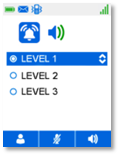
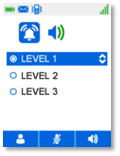
All'interno della funzione, è possibile passare da un'etichetta all'altra in direzione verticale. Premere il tasto OK per confermare la selezione. |





Tilgang til MENY og navigering
|
Vise menyen. |
Trykk på MENY-tasten (kort trykk). |
|
|
Velg en funksjon på MENYEN. |
Bruk navigeringstastene og trykk på OK for å velge en funksjon. |
|
|
|
|
|
|
Navigere i en funksjon. |
Inne i funksjonen kan du flytte deg horisontalt på de ulike ikonene. Trykk på OK for å bekrefte valget. |
|
|
|
ELLER |
|
|
|
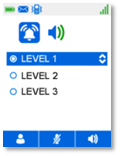
Du kan flytte loddrett blant etikettene i funksjoner. Trykk på OK for å bekrefte valget. |





Toegang tot het MENU en bladeren
|
Toegang tot het menu verkrijgen. |
Druk op de MENU-knop (kort indrukken). |
|
|
Selecteer een functie in het MENU. |
Gebruik de navigatietoetsen en druk op de toets OK om een functie te selecteren. |
|
|
|
|
|
|
Navigeren binnen een functie. |
Binnen de functie kunt u in horizontale richting de gewenste iconen kiezen. Druk op de toets OK om uw keuze te bevestigen. |
|
|
|
OF |
|
|
|
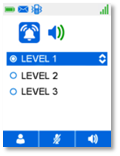
U kunt verticaal scrollen langs de diverse labels binnen de functie. Druk op de toets OK om uw keuze te bevestigen. |





Acesso ao MENU e navegação
|
Aceder ao menu. |
Prima a tecla MENU (Premir ligeiramente). |
|
|
Seleccionar uma função no MENU. |
Utilize as teclas de navegação e prima a tecla OK para seleccionar uma função. |
|
|
|
|
|
|
Navegação numa função. |
Nesta função, pode deslocar o cursor horizontalmente sobre os diferentes ícones. Prima a tecla OK para validar a sua escolha. |
|
|
|
OU |
|
|
|
Pode deslocar-se verticalmente ao longo dos vários rótulos da função. Prima a tecla OK para validar a sua escolha. |





MENÜye ve gezgine erişmek
|
Menüye erişim. |
MENÜ tuşuna basın (kısa basış). |
|
|
MENÜ'den bir işlev seçin. |
Bir işlevi seçmek için gezinti tuşlarını kullanın ve OK tuşuna basın. |
|
|
|
|
|
|
Bir işlev içinde gezinme. |
İşlevdeki çeşitli simgeler boyunca yatay olarak hareket edebilirsiniz. Seçiminizi doğrulamak için OK tuşuna basın. |
|
|
|
VEYA |
|
|
|
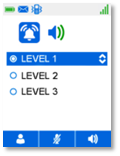
Işlevdeki çeşitli etiketler boyunca dikey olarak hareket edebilirsiniz. Seçiminizi doğrulamak için OK tuşuna basın. |