
Configure the handset as a BTLE beacon
Your handset can act as a beacon by periodically emitting data using BTLE (Bluetooth® Low Energy) technology.
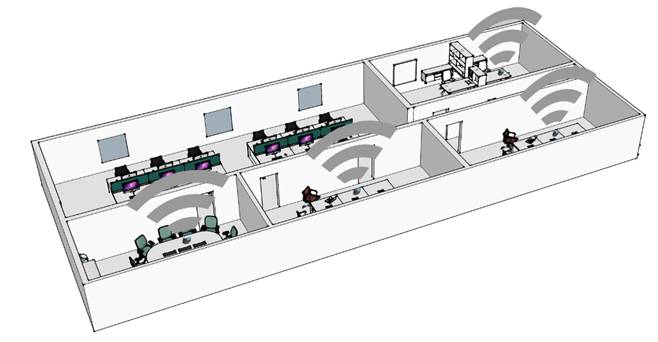
A beacon is a small Bluetooth® radio transmitter that repeatedly transmits a single signal that other devices can use to locate it. There are many applications for localization with beacon, for example, isolated worker protection. The enterprise can use the compatible existing DECT infrastructure to locate device used by the worker inside the enterprise (less expensive than a new infrastructure).
This feature is compatible with the ALE Asset Tracking solution based on BLE receiver in Stellar WIFI AP. For more information, contact your administrator or your installer.
The handset uses the BTLE to transmit a unique universal identifier, composed of a triplet of values: UUID, Major, Minor.

|
|
· Access MENU. |
|
|
·
Alarm Settings |
|
|
· Location & Events |
|
|
· Smart beacon |
|
|
· Mode: o Tag emitter: activate the feature. o Select other options to deactivate the feature. |
|
|
· Settings o Tag settings: beacon configuration. § Emission period: define the beacon emission period in milliseconds (100 ms by default, 200, 300, 400, 500, 600, 700, 800, 900, 1000). § UUID: display the whole 32-digit ALE UUID. § Major: display the value. § Minor: display the value. § Moving only: the beacon only transmits when the handset is in motion (On / Off). |
|
|
· Return to idle. |


When BTLE beacon is activated, the Bluetooth® icon displayed on the statusbar is marked with the 'LE' symbol. The icon depends on the audio Bluetooth® state:
·
 : Beacon emitter activated (Bluetooth®
is disabled).
: Beacon emitter activated (Bluetooth®
is disabled).
·
 : Bluetooth® and beacon
emitter are activated.
: Bluetooth® and beacon
emitter are activated.
·
 : Bluetooth® connected to a
device and beacon emitter activated.
: Bluetooth® connected to a
device and beacon emitter activated.
·
 : Bluetooth® audio active
with a connected device and beacon emitter activated.
: Bluetooth® audio active
with a connected device and beacon emitter activated.
Configurer le combiné comme une balise BTLE
Votre combiné peut faire office de balise en émettant périodiquement des données grce à la technologie BTLE (Bluetooth® Low Energy).
Une balise est un petit émetteur radio Bluetooth® qui transmet de manière répétée un signal unique que d'autres appareils peuvent utiliser pour le localiser. Il existe de nombreuses applications pour la localisation avec balise, par exemple, la protection des travailleurs isolés. L'entreprise peut utiliser l'infrastructure DECT existante compatible pour localiser le dispositif utilisé par le travailleur au sein de l'entreprise (moins coûteux qu'une nouvelle infrastructure).
Cette fonction est compatible avec la solution de suivi des équipement d'ALE basée sur le récepteur BLE dans le point d'accès Wi-Fi Stellar. Pour de plus amples informations, veuillez contacter votre administrateur ou votre installateur.
Le combiné utilise le BTLE pour transmettre un identifiant universel unique, composé d'un triplet de valeurs : UUID, Major, Minor.
|
|
· Accéder au MENU. |
|
|
·
Config. des alarmes |
|
|
· Evènmt-localisation |
|
|
· Smart beacon |
|
|
· Mode : o Tag émetteur : activer la fonction. o Sélectionner d'autres options pour désactiver la fonction. |
|
|
· Paramètres o Paramètres du tag : configuration de la balise. § Période d'émission : définir la période d'émission de la balise en millisecondes (100 ms par défaut, 200, 300, 400, 500, 600, 700, 800, 900, 1000). § UUID : afficher l'UUID ALE complet à 32 chiffres. § Major : afficher la valeur. § Minor : afficher la valeur. § Mouvement seult : la balise ne transmet que lorsque le combiné est en mouvement (Marche / Arrêt). |
|
|
· Revenir au repos. |


Lorsque la balise BTLE est activée, l'icône Bluetooth® affichée dans la barre d'état affiche le symbole 'LE'. L'icône dépend de l'état de l'audio Bluetooth® :
·
 : Émetteur
de la balise activé (le
Bluetooth® est désactivé).
: Émetteur
de la balise activé (le
Bluetooth® est désactivé).
·
 : Le
Bluetooth® et l'émetteur de la balise sont activés.
: Le
Bluetooth® et l'émetteur de la balise sont activés.
·
 : Bluetooth®
connecté à un appareil et émetteur de la balise activé.
: Bluetooth®
connecté à un appareil et émetteur de la balise activé.
·
 : Audio
Bluetooth® activé avec un appareil connecté et émetteur de balise
activé.
: Audio
Bluetooth® activé avec un appareil connecté et émetteur de balise
activé.
Das Mobilteil als ein BTLE-Beacon konfigurieren
Ihr Mobilteil kann als Beacon fungieren, indem es in regelmäßigen Abständen Daten mit Hilfe der BTLE-Technologie (Bluetooth® Low Energy) sendet.
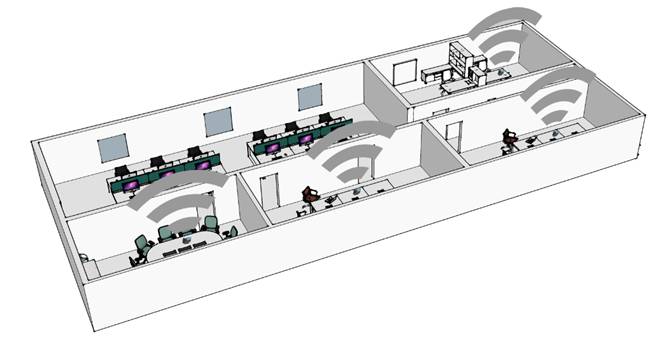
Ein Beacon ist ein kleiner Bluetooth®-Funksender, der wiederholt ein einzelnes Signal sendet, das andere Geräte zur Ortung nutzen können. Es gibt viele Anwendungen für die Ortung mit Beacons, z. B. für den Schutz alleine arbeitender Mitarbeiter. Das Unternehmen kann die kompatible bestehende DECT-Infrastruktur nutzen, um das vom Mitarbeiter verwendete Gerät innerhalb des Unternehmens zu orten (weniger kostspielig als eine neue Infrastruktur).
Diese Funktion ist kompatibel mit der ALE Asset-Tracking-Lösung, die auf dem BLE-Empfänger in Stellar WIFI AP basiert. Weitere Informationen erhalten Sie von Ihrem Administrator oder Ihrem Monteur.
Das Mobilteil nutzt BTLE, um eine eindeutige universelle Kennung zu übermitteln, die aus einem Wertetripel besteht: UUID, Major, Minor.
|
|
· Zugriff auf das MENÜ. |
|
|
·
Alarmeinstellungen |
|
|
· Standort & Ereignis |
|
|
· Smart beacon |
|
|
· Modus: o Tag-Sender: Die Funktion aktivieren. o Andere Optionen auswählen, um die Funktion zu deaktivieren. |
|
|
· Einstellungen o Tag-Einstellungen: Beacon-Konfiguration. § Sendung Period: Die Sendezeit der Beacons in Millisekunden festlegen (100 ms als Standard, 200, 300, 400, 500, 600, 700, 800, 900, 1000). § UUID: Anzeige der gesamten 32-stelligen ALE UUID. § Major: Anzeige des Werts. § Minor: Anzeige des Werts. § Nur in Bewegung: Das Beacon überträgt nur, wenn das Mobilteil in in Bewegung ist (Ein / Aus). |
|
|
· Rückkehr in den Ruhezustand. |


Wenn das BTLE-Beacon aktiviert ist, wird das Bluetooth®-Symbol in der Statusleiste mit dem 'LE'-Symbol markiert. Das Symbol verändert sich je nach Bluetooth®-Audio-Status:
·
 : Beacon-Sender aktiviert (Bluetooth® ist
deaktiviert).
: Beacon-Sender aktiviert (Bluetooth® ist
deaktiviert).
·
 : Bluetooth® und
Beacon-Sender sind aktiviert.
: Bluetooth® und
Beacon-Sender sind aktiviert.
·
 : Bluetooth® mit einem
Gerät verbunden und Beacon-Sender aktiviert.
: Bluetooth® mit einem
Gerät verbunden und Beacon-Sender aktiviert.
·
 : Bluetooth®-Audio aktiv an
verbundenem Gerät und aktiviertem Beacon-Sender.
: Bluetooth®-Audio aktiv an
verbundenem Gerät und aktiviertem Beacon-Sender.
Configurar el terminal como baliza BTLE
Su terminal puede actuar como una baliza emitiendo datos periódicamente con tecnología BTLE (Bluetooth® de bajo consumo).
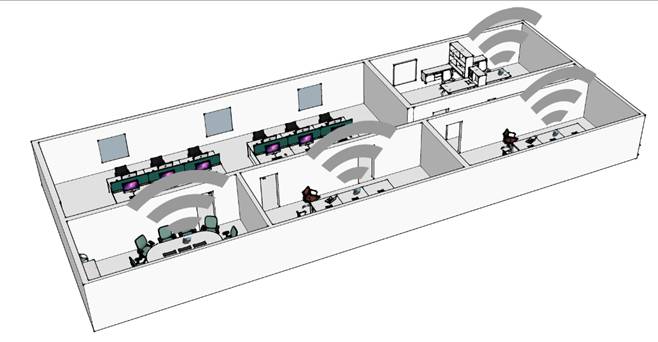
Una baliza es un pequeño transmisor de radio Bluetooth® que transmite repetidamente una sola señal que pueden utilizar otros dispositivos para localizarla. Existen muchas aplicaciones de localización con baliza, como la aplicación para la protección del trabajador aislado. La empresa puede utilizar su infraestructura DECT compatible para localizar el dispositivo utilizado por el empleado dentro de la empresa (más económico que una nueva infraestructura).
Esta función es compatible con la solución de seguimiento de activos ALE Asset Tracking basada en el receptor BLE del AP WIFI Stellar. Para obtener más información, póngase en contacto con el administrador o con el instalador.
El terminal usa BTLE para emitir un identificador universal único, compuesto por un triplo de valores: UUID, Major, Minor.
|
|
· Acceder al menú. |
|
|
·
Configurar alarmas |
|
|
· Ubicación - Eventos |
|
|
· Smart beacon |
|
|
· Modo: o Tag transmisor: activar la función. o Seleccionar otras opciones para desactivar la función. |
|
|
· Configuración o Ajustes del tag: configuración de la baliza. § Período de emisión: definir la duración de emisión de la baliza en milisegundos (100 ms por defecto, 200, 300, 400, 500, 600, 700, 800, 900, 1000). § UUID: mostrar los 32 digitos del UUID de ALE. § Major: mostrar el valor. § Minor: mostrar el valor. § Solo en movimiento: la baliza solo transmite cuando el terminal está en movimiento (Encendido / Apagado). |
|
|
· Regresar al estado de reposo. |


Cuando la baliza BTLE está activada, el icono Bluetooth® de la barra de estado aparece marcado con el símbolo 'LE'. El icono depende del estado del audio Bluetooth®:
·
 : Emisor de baliza activado (Bluetooth®
deshabilitado).
: Emisor de baliza activado (Bluetooth®
deshabilitado).
·
 : Bluetooth® y emisor de
baliza activados.
: Bluetooth® y emisor de
baliza activados.
·
 : Bluetooth® conectado a un
dispositivo y emisor de baliza activado.
: Bluetooth® conectado a un
dispositivo y emisor de baliza activado.
·
 : Audio Bluetooth® activo
con un dispositivo conectado y emisor de baliza activado.
: Audio Bluetooth® activo
con un dispositivo conectado y emisor de baliza activado.
Configurare il terminale come beacon BTLE
Il terminale in uso può fungere da beacon emettendo periodicamente dati mediante la tecnologia BTLE (Bluetooth® Low Energy).
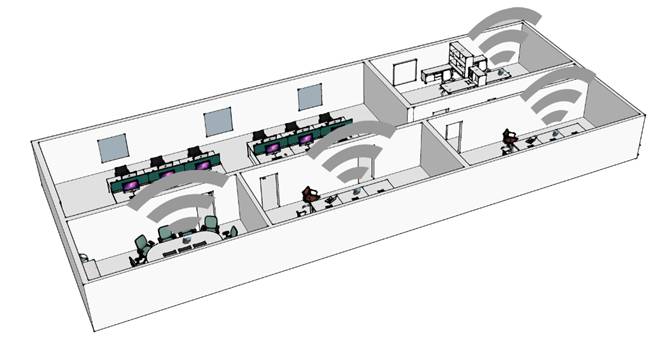
Un beacon è un piccolo radiotrasmettitore Bluetooth® che invia ripetutamente segnali singoli ad altri dispositivi che li utilizzano per localizzare il beacon. Esistono molte applicazioni di localizzazione tramite beacon, ad esempio quelle per la protezione di chi lavora in ambienti isolati. Le aziende possono utilizzare l'esistente infrastruttura DECT compatibile per localizzare il dispositivo utilizzato da un lavoratore all'interno dell'azienda (meno costoso di una nuova infrastruttura).
Questa funzione è compatibile con la soluzione ALE Asset Tracking basata su terminale BLE in Stellar WIFI AP. Per ulteriori informazioni, contattare l'amministratore o l'installatore.
Il terminale utilizza la tecnologia BTLE per trasmettere un identificatore universale univoco composto da tre valori: UUID, Major, Minor.
|
|
· Accesso al MENU. |
|
|
·
Impostazioni allarmi |
|
|
· Posizione ed Eventi |
|
|
· Smart beacon |
|
|
· Modalità: o Tag trasmettitore: attivare la funzione. o Selezionare altre opzioni per disattivare questa funzione. |
|
|
· Impostazioni o Impostazioni tag: configurazione del beacon. § Periodo di emission: definire il periodo di emissione del beacon in millisecondi (100 ms predefiniti, 200, 300, 400, 500, 600, 700, 800, 900, 1000). § UUID: visualizzaare tutti i 32 numeri dell'UUID ALE. § Major: visualizzare il valore. § Minor: visualizzare il valore. § Solo in movimento: il beacon trasmette solo quando il terminale è in movimento (Acceso / Spento). |
|
|
· Ritornare in stand-by. |


Quando il beacon BTLE è attivato, l'icona Bluetooth® visualizzata nella barra di stato è contrassegnata dal simbolo 'LE'. L'icona varia in base allo stato dell'audio Bluetooth®:
·
 : Trasmettitore Beacon attivato (Bluetooth®
disabilitato).
: Trasmettitore Beacon attivato (Bluetooth®
disabilitato).
·
 : Bluetooth® e
trasmettitore beacon attivati.
: Bluetooth® e
trasmettitore beacon attivati.
·
 : Bluetooth® connesso a un
dispositivo e tramettitore beacon attivato.
: Bluetooth® connesso a un
dispositivo e tramettitore beacon attivato.
·
 : Audio Bluetooth® attivo
con un dispositivo connesso e un trasmettitore beacon attivato.
: Audio Bluetooth® attivo
con un dispositivo connesso e un trasmettitore beacon attivato.
Konfigurer håndsettet som en BTLE-sender
Håndsettet ditt kan fungere som en sender ved å periodisk sende ut data med BTLE (Bluetooth® Low Energy)-teknologi.
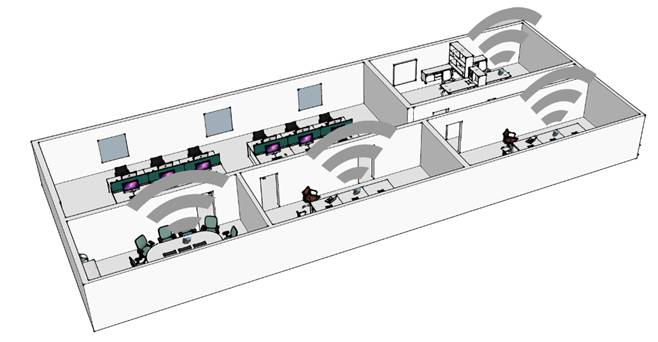
En sender er en liten Bluetooth® radiosender som gjentatte ganger sender ett enkelt signal som andre enheter kan bruke for å lokalisere den. Det er mange bruksområder for lokalisering med sender, for eksempel, isolert arbeidsvern. Virksomheten kan bruke den kompatible eksisterende DECT infrastrukturen til å lokalisere enhet som brukes av arbeider på innsiden av virksomheten (mindre kostbart enn en ny infrastruktur).
Denne funksjonen er kompatibel med ALE Asset sporingsløsning basert på BLE-mottaker i Stellar WIFI AP. Kontakt din administrator eller installatør for mer informasjon.
Håndsettet bruker BTLE til å sende en unik universal identifikator som er sammensatt av tre verdier: UUID, Major, Minor.
|
|
· Komme til MENY. |
|
|
·
Alarminnstillinger |
|
|
· Sted og hendelse |
|
|
· Smart beacon |
|
|
· Modus: o Tag emitter: aktiver funksjonen. o Velg andre alternativer for å deaktivere funksjonen. |
|
|
· Innstillinger o Tag innstillinger: senderkonfigurasjon. § Utslippsperiode: definer senderens sendingsperiode i millisekunder (100 ms er standard, 200, 300, 400, 500, 600, 700, 800, 900, 1000). § UUID: vis hele 32-sifret ALE UUID. § Major: vis verdien. § Minor: vis verdien. § Kun bevegelse: senderen sender kun når håndsettet er i bevegelse (På / Av). |
|
|
· Gå tilbake til hvilemodus. |


Når BTLE-senderen er aktivert er Bluetooth®-ikonet som vises på statuslinjen merket med ‘LE’-symbolet. Ikonet avhenger av lyd-Bluetooth® status:
·
 : Sender aktivert (Bluetooth® er
deaktivert).
: Sender aktivert (Bluetooth® er
deaktivert).
·
 : Bluetooth® og sender er
aktivert.
: Bluetooth® og sender er
aktivert.
·
 : Bluetooth® koblet til en
enhet og sender aktivert.
: Bluetooth® koblet til en
enhet og sender aktivert.
·
 : Bluetooth®-lyd aktiv med
en tilkoblet enhet og sender aktivert.
: Bluetooth®-lyd aktiv med
en tilkoblet enhet og sender aktivert.
Configureer de handset als een BTLE-beacon
Uw handset kan als beacon werken door regelmatig gegevens te verzenden met behulp van BTLE-technologie (Bluetooth® Low Energy).
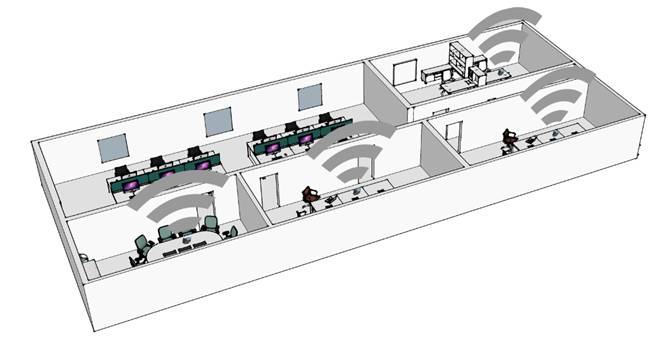
Een beacon is een kleine Bluetooth®-radiozender die één signaal herhaaldelijk uitzendt, zodat andere apparaten de beacon via dat signaal kunnen lokaliseren. Er zijn veel toepassingen voor lokalisatie met behulp van een beacon, bijvoorbeeld ter bescherming van werknemers die alleen werken. Het bedrijf kan de bestaande compatibele DECT-infrastructuur gebruiken om apparaten die door werknemers binnen het bedrijf worden gebruikt, te lokaliseren (goedkoper dan een nieuwe infrastructuur).
Deze functie is compatibel met de ALE Asset Tracking-oplossing die gebaseerd is op de BLE-ontvanger in Stellar WIFI AP. Neem voor meer informatie contact op met uw beheerder of installateur.
De handset maakt gebruik van BTLE om een unique universal identifier te verzenden, bestaande uit drie waarden: UUID, Major, Minor.
|
|
· Toegang tot het MENU. |
|
|
·
Alarm instellingen |
|
|
· Locatie & Events |
|
|
· Smart beacon |
|
|
· Modus: o Tagzender: activeer de functie. o Selecteer andere opties om de functie te deactiveren. |
|
|
· Instellingen o Tag-instellingen: configuratie beacon. § Uitzendperiode: geef op in milliseconden hoelang de beacon moet uitzenden (standaard 100 ms, 200, 300, 400, 500, 600, 700, 800, 900, 1000). § UUID: geef de volledige ALE UUID bestaande uit 32 cijfers weer. § Major: geef de waarde weer. § Minor: geef de waarde weer. § Alleen bij beweging: de beacon zendt alleen uit wanneer de handset in beweging is (Aan / Uit). |
|
|
· Om terug te keren naar de russtand. |


Wanneer BTLE-beacon is geactiveerd, wordt het Bluetooth®-pictogram op de statusbalk gemarkeerd met het 'LE'-symbool. Hoe het pictogram wordt weergegeven, hangt af van de status van de Bluetooth®-audio:
·
 : Beacon-zender geactiveerd (Bluetooth®
is uitgeschakeld).
: Beacon-zender geactiveerd (Bluetooth®
is uitgeschakeld).
·
 : Bluetooth® en
beacon-zender zijn geactiveerd.
: Bluetooth® en
beacon-zender zijn geactiveerd.
·
 : Bluetooth® verbonden met
een apparaat en beacon-zender geactiveerd.
: Bluetooth® verbonden met
een apparaat en beacon-zender geactiveerd.
·
 : Bluetooth®-audio actief
wanneer een apparaat is verbonden en de beacon-zender is geactiveerd.
: Bluetooth®-audio actief
wanneer een apparaat is verbonden en de beacon-zender is geactiveerd.
Configurar o telefone como um beacon BTLE
O seu telefone pode agir como um beacon ao emitir dados periodicamente através da tecnologia BTLE (Bluetooth® de Baixo Consumo).
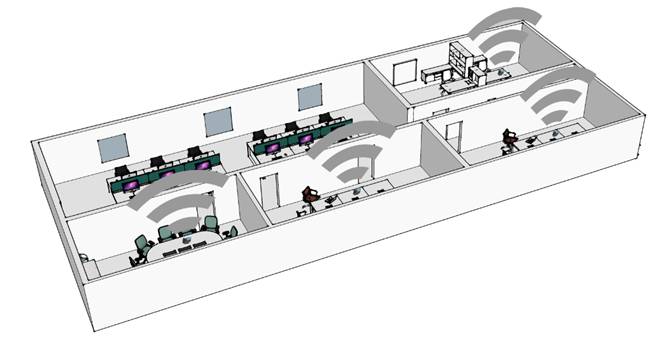
Um beacon é um transmissor de rádio Bluetooth® pequeno que transmite repetidamente um sinal único que pode ser utilizado por outros dispositivos para o localizarem. Existem muitas aplicações de localização com beacon, por exemplo, proteção isolada do trabalhador. A empresa pode utilizar a infraestrutura compatível DECT existente para localizar o dispositivo utilizado pelo trabalhador dentro da empresa (menos dispendioso do que uma nova infraestrutura).
Esta funcionalidade é compatível com uma solução de Controlo de Ativos da ALE com base num recetor BLE em ponto de acesso sem fios Stellar. Para mais informações, contacte o seu administrador ou responsável pela instalação.
O telefone utiliza a BTLE para transmitir um identificador universal único composto por um trio de valores UUID, Major, Minor.
|
|
· Ter acesso ao MENU. |
|
|
·
Def. Alarm |
|
|
· Localiz. - Eventos |
|
|
· Smart beacon |
|
|
· Modo: o Emissor de tag: ativar a funcionalidade. o Selecionar outras opções para desativar a funcionalidade. |
|
|
· Definições o Tag ajustes: configuração de beacon. § Período de emissão: definir o período de emissão do beacon em milissegundos (100 ms por predefinição, 200, 300, 400, 500, 600, 700, 800, 900, 1000). § UUID: apresentar todos os 32 dígitos ALE UUID. § Major: apresentar o valor. § Minor: apresentar o valor. § Só em movimento: o beacon só transmite quando o telefone está em movimento (Ligado / Desligado). |
|
|
· Terminar a personalização. |


Quando o beacon BTLE está ativado, o ícone do Bluetooth® apresentado na barra de estado está assinalado com o símbolo 'LE'. O ícone depende do estado do áudio Bluetooth®:
·
 : Emissor beacon ativado (o Bluetooth®
está desativado).
: Emissor beacon ativado (o Bluetooth®
está desativado).
·
 : O Bluetooth® e o emissor
beacon estão ativados.
: O Bluetooth® e o emissor
beacon estão ativados.
·
 : Bluetooth® ligado a um
dispositivo e emissor beacon ativado.
: Bluetooth® ligado a um
dispositivo e emissor beacon ativado.
·
 : Áudio Bluetooth® ativo
com um dispositivo ligado e emissor beacon ativado.
: Áudio Bluetooth® ativo
com um dispositivo ligado e emissor beacon ativado.
Ahizeyi BTLE beacon'ı olarak yapılandırma
Ahizeniz BTLE teknolojisi (Bluetooth® Low Energy) sayesinde düzenli bir şekilde veri yayarak beacon işlevi görebilir.
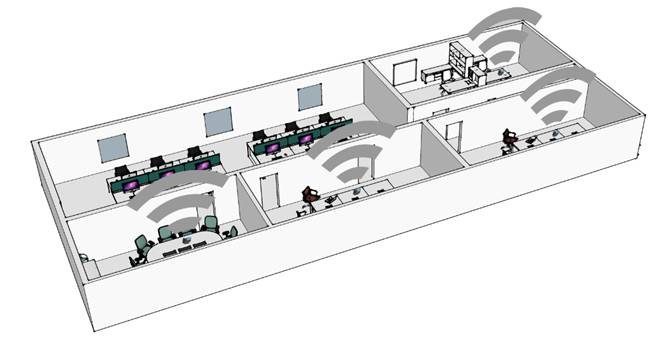
Beacon, diğer cihazların yerini tespit etmek için kullanabileceği tek bir sinyali tekrar tekrar ileten küçük bir Bluetooth® radyo vericisidir. Beacon ile yerelleştirme ile ilgili yalnız çalışan işçi koruması gibi birçok uygulama vardır. Kuruluş, şirket içi bir çalışan tarafından kullanılan cihazı bulmak için uyumlu mevcut DECT altyapısını kullanabilir (yeni bir altyapıdan daha az maliyetlidir).
Bu özellik, Stellar WIFI AP'deki BLE alıcısına dayalı ALE Varlık İzleme çözümü ile uyumludur. Daha fazla bilgi edinmek için yöneticiniz veya kurulum personeliyle iletişime geçin.
Ahize, değer üçlüsünden oluşan benzersiz bir evrensel tanımlayıcıyı iletmek için BTLE'yi kullanır: UUID, Major, Minor.
|
|
· Menüye geçiş. |
|
|
·
Alarm ayarları |
|
|
· Konum - Etkinlikler |
|
|
· Smart beacon |
|
|
· Mod: o Tag yayıcı: özelliği etkinleştirin. o Özelliği devre dışı bırakmak için diğer seçenekleri belirleyin. |
|
|
· Ayarlar o Tag ayarlari: beacon yapılandırması. § Emisyon süresi: beacon yayma aralığı milisaniye cinsinden tanımlayın (varsayılan olarak 100 ms 200, 300, 400, 500, 600, 700, 800, 900, 1000). § UUID: 32 basamaklı ALE UUID'nin tamamını görüntüleme. § Major: değeri görüntüleme. § Minor: değeri görüntüleme. § Sadace hareket: beacon yalnızca ahize hareket hlindeyken veri yayar (Acik / Kapali). |
|
|
· Boşta durumuna dön. |


BTLE beacon'ı etkinleştirildiğinde, durum çubuğunda görüntülenen Bluetooth® simgesi 'LE' simgesiyle işaretlenir. Simge, Bluetooth® ses duruma göre değişir:
·
 : Beacon yayıcısı etkinleştirildi (Bluetooth®
devre dışı bırakıldı).
: Beacon yayıcısı etkinleştirildi (Bluetooth®
devre dışı bırakıldı).
·
 : Bluetooth® ve beacon
yayıcısı etkinleştirildi.
: Bluetooth® ve beacon
yayıcısı etkinleştirildi.
·
 : Bluetooth® bir cihaza
bağlandı ve beacon yayıcısı etkinleştirildi.
: Bluetooth® bir cihaza
bağlandı ve beacon yayıcısı etkinleştirildi.
·
 : Bluetooth® ses, bağlı bir
cihazla etkin ve beacon yayıcısı etkinleştirildi.
: Bluetooth® ses, bağlı bir
cihazla etkin ve beacon yayıcısı etkinleştirildi.